Fast and Strain-Free Typing
Author: Robert Winkler
License: Creative Commons Attribution-ShareAlike 4.0 International (CC BY-SA 4.0)
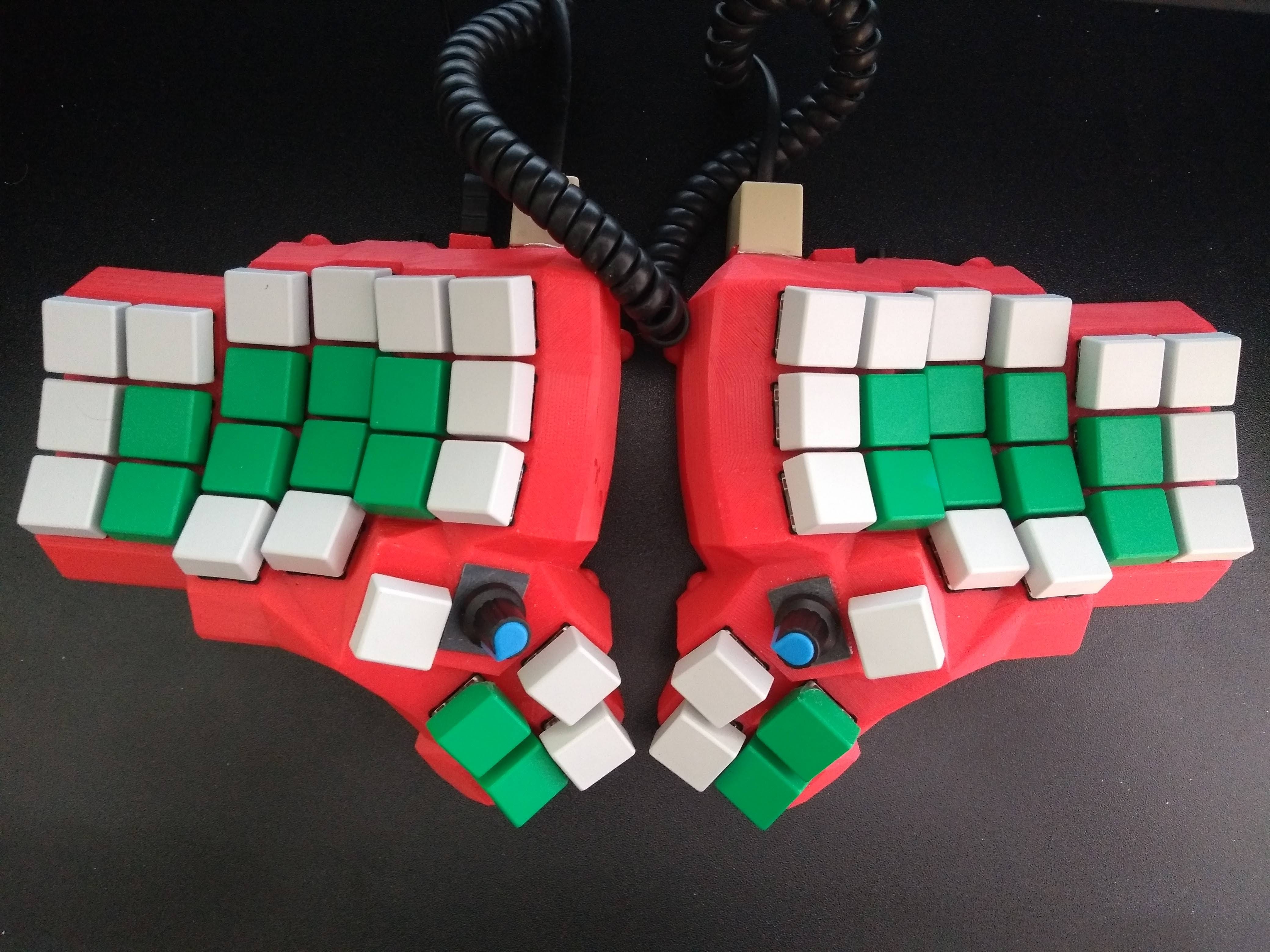
Build better keyboards, type faster, and protect your health.
Preface: About This Book
This book is a collaborative, open-source project dedicated to helping people type faster, more comfortably, and without strain. Whether you are a writer, programmer, gamer, or anyone who spends significant time at a keyboard, this guide aims to help you find better tools and techniques.
Open Collaboration
This booklet is not a static document—it is a living resource that grows through community contributions. We actively invite and encourage:
- New chapters on keyboard-related topics
- Improvements to existing content
- Corrections and updates
- Translations to other languages
- Feedback and suggestions
All contributions are welcome under the same open license.
License and Usage Terms
This work is licensed under the Creative Commons Attribution-ShareAlike 4.0 International License (CC BY-SA 4.0).
This means you are free to:
- Share: Copy and redistribute the material in any medium or format
- Adapt: Remix, transform, and build upon the material for any purpose
- Use commercially: Use this work for commercial purposes, including with keyboard hardware products
- Use educationally: Use and distribute as teaching material
Under the following conditions:
- Attribution: You must give appropriate credit, provide a link to the license, and indicate if changes were made
- ShareAlike: If you remix, transform, or build upon the material, you must distribute your contributions under the same license
The full license text is available in the License appendix.
Editorial Oversight
Robert Winkler serves as the editor of this booklet, ensuring consistency, quality, and coherence across contributions. While the editor maintains final say on content inclusion, the goal is to be permissive and constructive—any productive, well-intentioned contribution that advances the book’s mission is welcome.
Source Repository
This book is developed openly on GitHub. You can:
- View the source: https://github.com/robert-winkler/strain-free-typing-booklet
- Read online: https://robert-winkler.github.io/strain-free-typing-booklet/

Scan the QR code above to quickly access the repository on your mobile device.
How to Contribute
- Fork the repository on GitHub
- Clone your fork locally
- Create a branch for your changes
- Write your content in markdown format
- Submit a pull request with your changes
For more details, see the Contributing section in the README.
This open approach ensures that the knowledge shared here remains accessible, current, and beneficial to the entire community. We believe that better typing tools and techniques should be available to everyone, and we welcome your participation in making this resource the best it can be.
Authors and Contributors
Editor
- Robert Winkler (robsi@duck.com) — Editor and primary author
Contributors
This booklet is a collaborative work, and we welcome contributions from the community. As contributions are made, they will be listed here.
How to Become a Contributor
Anyone can contribute to this booklet! Here’s how:
- Submit content: Write a new chapter or improve an existing one
- Report issues: Open issues on GitHub for bugs, suggestions, or improvements
- Review: Help review pull requests from other contributors
- Translate: Help translate the booklet to other languages
All contributors retain copyright to their individual contributions, which are licensed under the same CC BY-SA 4.0 license as the rest of the book.
Contribution Guidelines
- All contributions must be original work or properly attributed
- Contributions must be relevant to the book’s focus on keyboards, ergonomics, and typing
- Follow the existing style and formatting conventions
- Include appropriate attribution for any third-party content
- All contributions are licensed under CC BY-SA 4.0
Recognition
Contributors will be recognized in this section with:
- Their name (or chosen pseudonym)
- Optional contact information (email, GitHub handle, etc.)
- Brief description of their contributions
- Optional biography or affiliation
Thank you to all who have contributed and will contribute to making this resource better for everyone.
My Personal Motivation
As a scientist, I write constantly: articles, book chapters, research proposals, emails, and project reports. Unfortunately, after losing mobility in my left index finger due to an accident (a reminder: always use a bottle opener!), typing soon caused pain throughout my hand.
Prolonged work or gaming with an unsuitable keyboard setup will eventually lead to health issues, such as repetitive strain injury (RSI), and reduced productivity. It’s essential to analyze potential risks and optimize our workspace.
After testing alternative keyboards and typing software, I discovered that the current “standard” setups are surprisingly poor—and better alternatives are available at little or no cost.
A mechanical keyboard (technically electronic but using physical spring mechanisms) with suitable switches immediately relieves hand strain. Ideally, the keyboard should also feature improved geometry, such as a compact size and an ortholinear layout. Today, keyboards can be customized to fit individual needs, including split designs for a more natural hand position and switches with soft springs for lighter keystrokes. Smaller keyboards also minimize finger and hand movements, such as reaching for the mouse.
Switching from QWERTY to Colemak makes typing more ergonomic and, after some practice, can even double your typing speed. It also supports multilingual typing and programming.
But QWERTY is just one of many outdated aspects of modern keyboards. For example, it’s absurd that we still simulate shifting a typewriter’s mechanism to capitalize letters—especially since we perform this frequent action with our weakest fingers, the pinkies, which must stretch awkwardly to reach the ‘shift’ keys on large keyboards. In contrast, programmable keyboards with auto-shift can capitalize letters when a key is held slightly longer. This guide helps readers choose the right typing strategy—whether for professional writers, gamers, programmers, accountants, or those with health issues like RSI—by exploring keyboards, layouts, and software.
I also cover building and programming custom keyboards, from selecting designs and components to configuring keymap layouts and special features like OLED displays. Additionally, I introduce stenography for ultra-fast typing and software for mouse-free workflows.
Custom keyboards don’t have to be expensive: a split mechanical keyboard can be built for $100–200, is fully repairable, and promotes ergonomic, productive, and sustainable typing.
Robert Winkler
A Quick Guide for the Impatient
You need a quick solution for an urgent problem? Here’s how to find the most relevant topics for your needs.
I haven’t separated advice by productivity or health, since the two are closely linked.
I don’t want to spend money; I just want to type faster and more ergonomically
Start by installing and learning the Colemak keyboard layout. In a few weeks you will type faster and feel more relaxed.
For even better results, consider investing in a mechanical keyboard. You won’t regret spending around 100 USD.
I don’t want to learn another keyboard layout, but I’m ready to spend some money
Buy a mechanical keyboard. Depending on your needs, a compact - such as the 40% ortholinear Planck keyboard with 4 × 12 grid layout - or a split keyboard could be especially helpful. Just make sure to choose the right switches.
That said, learning Colemak will additionally improve both your ergonomics and typing speed.
I want to type really fast!
Switching to a layout like Dvorak or Colemak can roughly double your typing speed (50–100 words per minute is realistic).
For captioning in real-time (CART) at 200+ words per minute, look into stenography. There are specialized keyboards and software (such as Plover) designed for this purpose.
I want to improve my productivity
Minimize mouse use - Constantly switching between keyboard and mouse use is a huge productivity killer. Controlling your software via keyboard is far more efficient. There are editors, browser plugins, and other tools that make keyboard-centric work seamless.
I have a serious hand injury. How can I keep working?
First, consult your doctor. Depending on the severity, dictation software and a custom split mechanical keyboard tailored to your requirements may help. The book covers a range of possibilities, from auto-shift to one-handed typing.
Feel free to reach out with questions. Good luck!
I’m a gamer/programmer and want the best keyboard on Earth!
Head to the hardware sections and explore programming your keyboard with QMK. Building and testing different keyboards can be both practical and fun!
The Hardware: Taxonomy of Keyboard Types
The keyboard is our primary tool for generating and editing text. In addition, we can use a keyboard to navigate a document and control computer functions.
Your ideal keyboard depends a lot on its use. For example, a novel writer needs different features than a gamer, accountant, or programmer.
Hack: Get a gamer keyboard with linear mechanical keys. This is the simplest and fastest way for improving your typing experience.
Functional Groups
Letters, Numbers, and Basic Symbols
For writing text, the letters of the alphabet must be available on the keyboard. As well, the numbers 1, 2 … 0, punctuation (,, ., ?, …), and basic symbols such as $ are helpful for efficient text input.
However, standard keyboard layouts are country- and language-specific. For example, German keyboards have letters such as ä and ß, whereas Spanish keyboards have letters with different diacritics (é, ñ) and additional punctuation symbols (¿, ¡). Multilingual writing is therefore challenging and requires, for example, operating-system-specific switching of keyboard layouts.
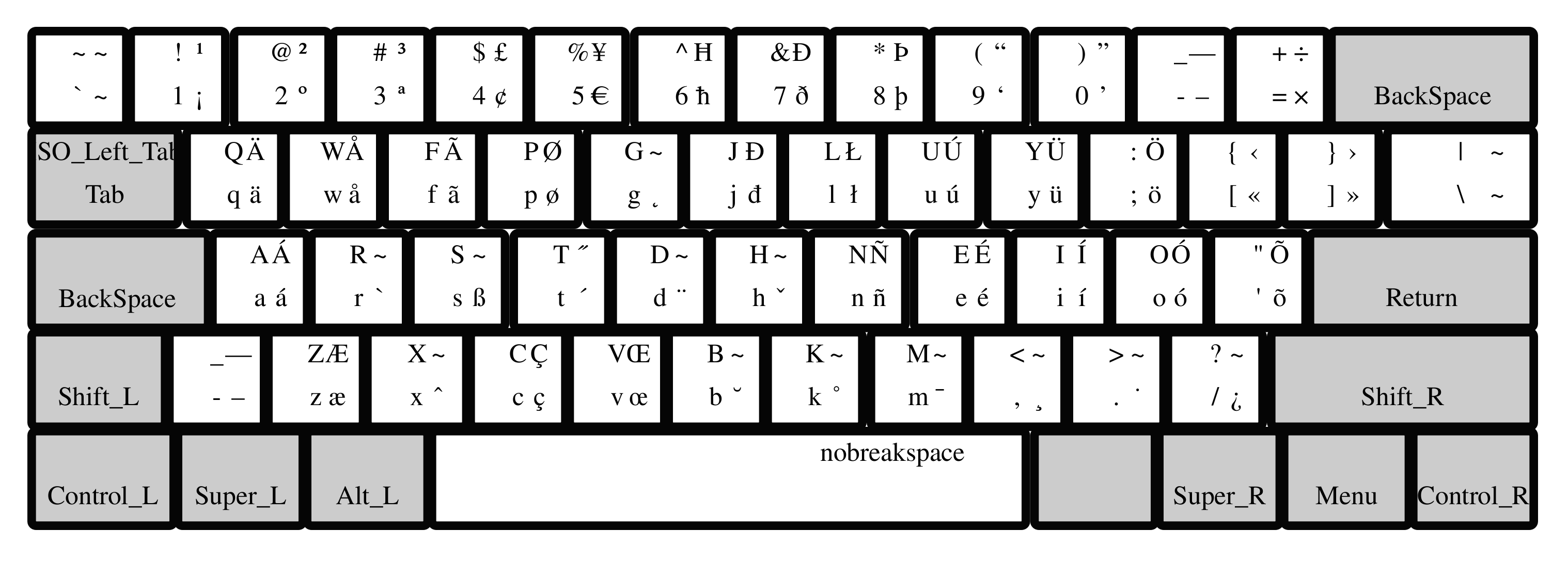
Hack: The Colemak layout is not only more ergonomic, but also adds many letters and symbols for multilingual typing out-of-the-box (see figure above).
Editing, Control, and Modifier Keys
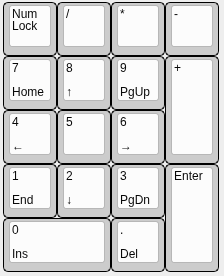
Number (NUM)-Keys Block
Function (F)-Keys Block

Arrow Keys
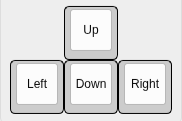
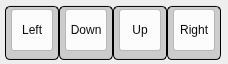
Hack: Define four keys in a row as arrow keys. Ideally, your fingers do not have to change row or column for moving the cursor.
For the arrow-key row, all cursor keys are arranged in a row instead of positioning the up cursor above the down keys. This way, the fingers can remain in place, and the movements are faster and more ergonomic. The vim editor uses the letters ‘hjkl’ for moving in the text. On QWERTY keyboards, those keys are on the home row of the right hand. Of course, this is still not ideal, since the index finger has to be moved for reaching ‘h’. Besides, you should not use the QWERTY layout.
You can define a modifier key (such as ALT) plus the four keys below your left/right hand in home position as cursor keys.
Hack: Instead of moving your pinkie finger for each capital letter, you may program an autoshift function, e.g., using QMK on supported keyboards.
On typewriters, the complete mechanics needed to be shifted for having a second symbol available on each key. However, on computer keyboards, we still can find the shift keys. If you own a QMK programmable keyboard, you can define autoshift.
Hack: For most users, the CAPS-LOCK key brings more trouble than benefit. Disable, or redefine it for something useful.
Consider changing the function of CAPS-LOCK to something more useful, e.g., a Backspace for your left hand.
Common Keyboard Sizes
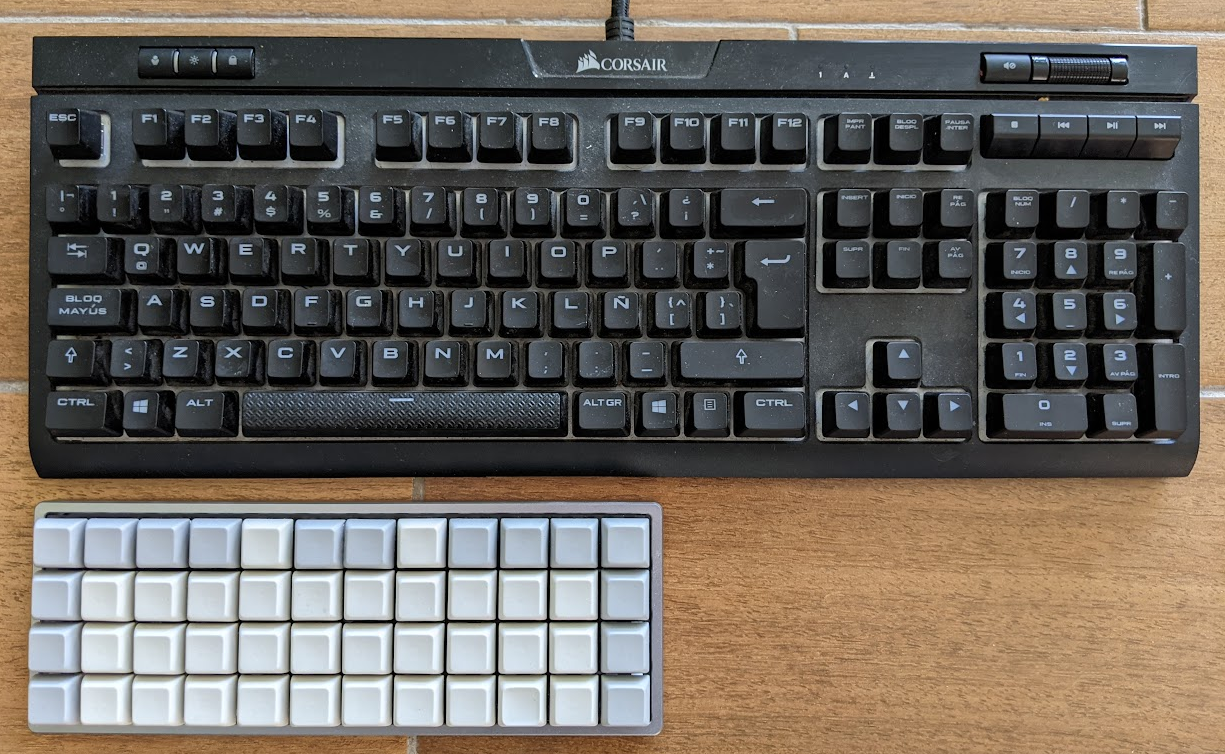
- Size: Most full-size (or 100%) keyboards have more than 100 keys and are far too large. An excess size is inconvenient because the fingers have to travel a lot. Thus, smaller keyboards are more ergonomic. About 50 keys are sufficient for the Latin alphabet and the most important symbols and control keys. Additional keys can be implemented using layers. Of course, smaller keyboards are also more portable.
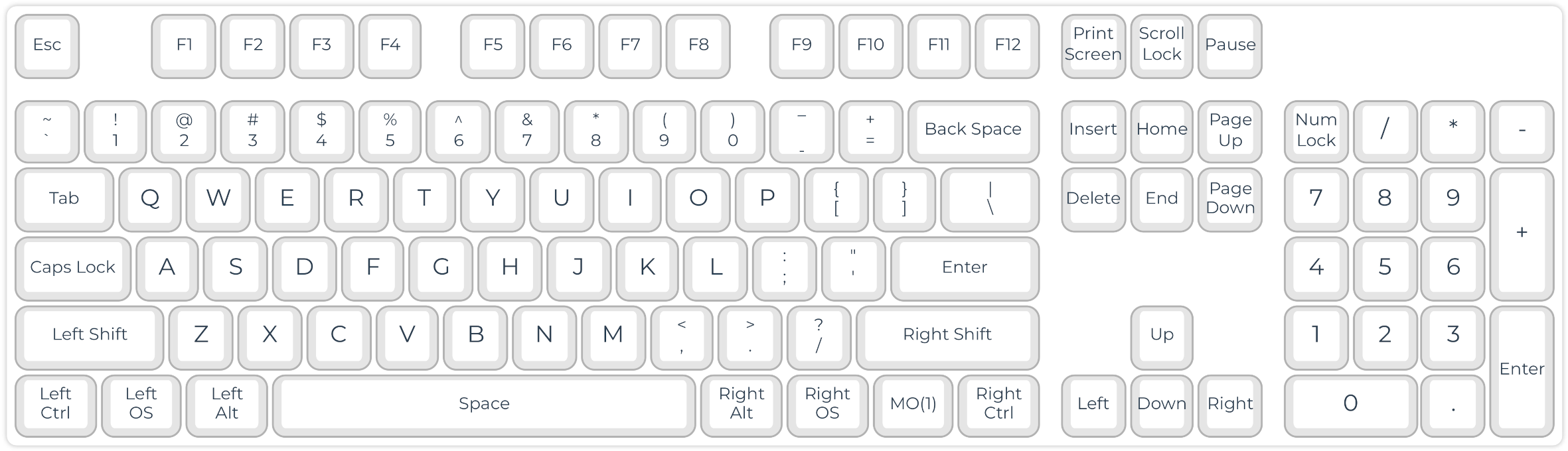
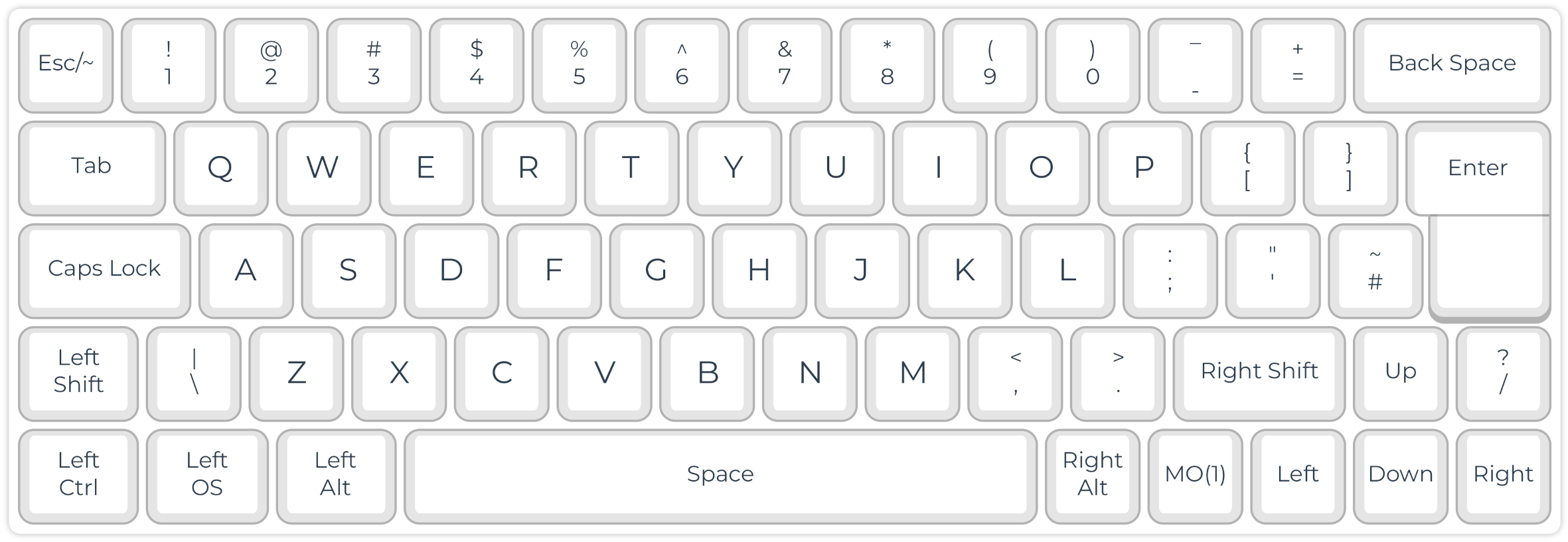
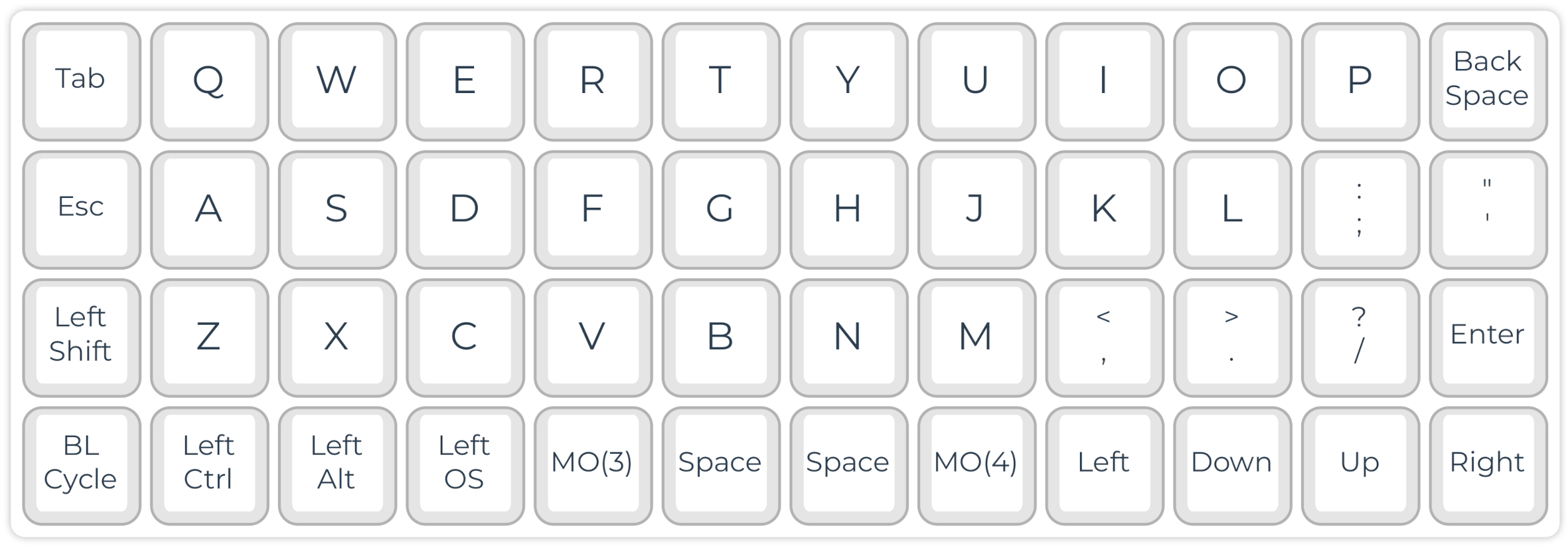
Hack: Simply choosing a smaller keyboard can improve your typing experience (ergonomic working and speed) because your fingers and hands need to move less.
Anatomical Adaptation of Keyboards
Keyboard Shapes
Working with our hands in parallel, palm down, with a short distance, is everything but natural. However, we have them shoulder-wide and with our palms slightly facing inside in a relaxed position.
Use of Strong (Thumb) Instead of Weak (Pinkie) Fingers
- Thumb: Spacebar
- Pinkie: Enter, shift, backspace, multiple letters and symbols
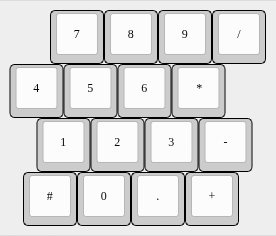
Staggered Layouts
Our fingers don’t have the same lengths.
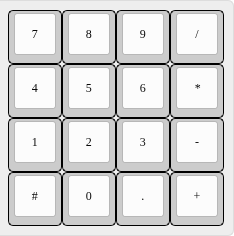
Ortholinear Layout
Tilting
Most standard keyboards come with plastic feet that allow tilting the keyboard towards the typist. Ergonomically, this is the worst option for the wrists. It is preferable to lay the keyboard flat. You can even try a slightly negative tilt in case of wrist problems.
Tenting
Our hands are not parallel to the plane but form a tent-like angle in a resting position. Some typists, therefore, prefer tenting their typically split keyboards. This is done in the simplest case with some cardboard. In addition, there are commercial and DIY keyboards with adjustable tenting. The 3D-printable Dactyl (Manuform) keyboard even tries to resemble the anatomical form and tenting of the hands as closely as possible.
Design: Diagonal movements of our fingers cause strain, which slows down our typing speed and is tiring. Therefore, modern keyboards arrange the keys in an ortholinear or matrix geometry. A better position of the wrists can be reached with split and tented keyboards.
Layout: The QWERTY keyboard layout is far from ideal since the fingers must move from their standard position for reaching frequent letters such as E, R, and T. Learning an alternative layout is not difficult. I use the Colemak layout, which is excellent for multilingual typing. Other simple hacks make typing easier, such as autoshift and home-row cursor movement. Thus, the keyboard should be programmable.
NKRO Capability: This is for real nerds now. You can multiply your typing speed by learning steno (see below). However, you need an NKRO-capable keyboard because it needs to register the synchronous pressing of several keys.
Switches and Keycaps: Ideally, you choose the switches according to your preferences. If you plan to use the keyboard for steno, you should consider low-profile switches with a low required force. You can get light springs for doing a ‘spring mod’ for some switches. For steno, flat keycaps are also highly recommendable.
Nerd Features: You may add OLED displays, encoders, and background illumination to your keyboard. However, most of these features are optional and might increase your light bill.
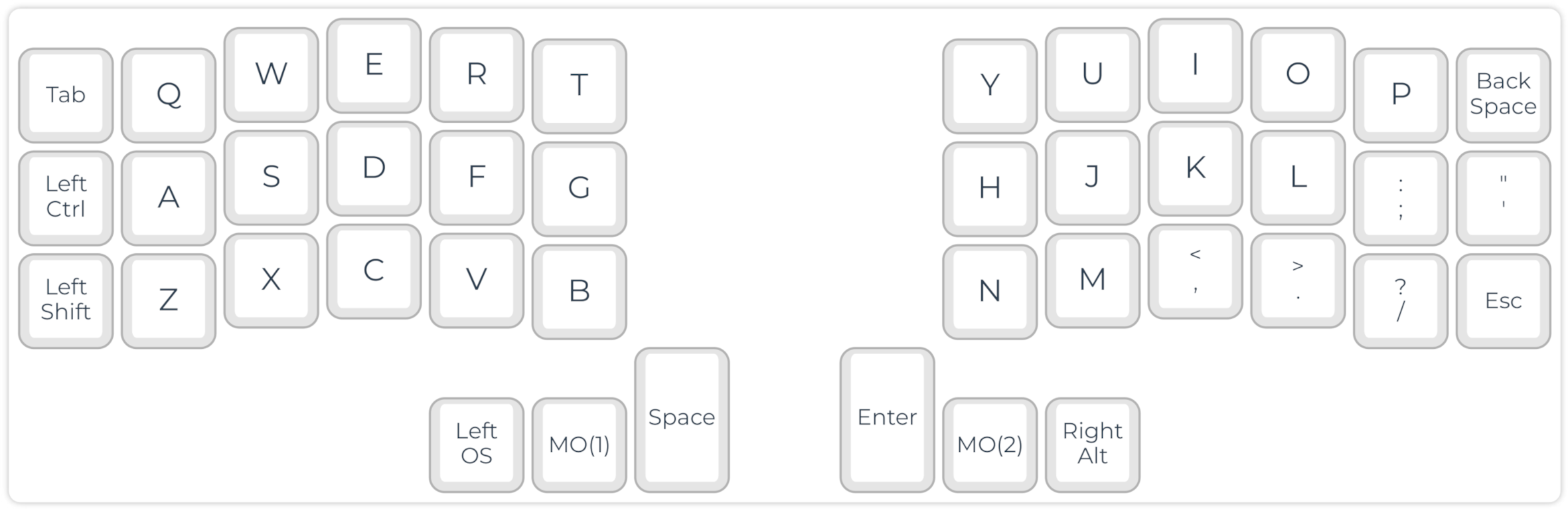
My daily driver is a Corne split keyboard, steno compatible. The split layout with only 21 keys on each side makes it very ergonomic and portable.
- Keyboard: LittleKeyboards Corne
- 2 x Elite C controller
- Kailh low profile red switches with 15 g spring mod
- Analyst PCB case
Keyboard Examples
QWERTY, Dvorak, Colemak, or: Standard, and More Intelligent Keyboard Layouts
To make a long story short: The position of letters on a “standard” keyboard has historic reasons.
From a modern, scientific point of view, several aspects of a typical QWERTY (also QWERTZ and similar) layout are not optimal:
- Frequently used letters such as E, R, and T require moving the fingers from the home row.
- QWERTY often requires same hand/finger movements and row jumping.
Rather than wondering why some of the most frequently used letters need moving your fingers from the home row, we can choose better keyboard layouts.
To make a long story short: I found the Colemak layout being the best instant alternative for QWERTY. There is a lot of information about its installation, learning, etc. on the webpage colemak.com. The community is active in a forum and on Discord. Colemak uses optimized positions of letters for Western languages, is easy to learn, and ideal for multilingual typing.
I personally use the Colemak Mod-DH for matrix keyboards on all my keyboards.
Hack: Install and learn Colemak. Yes, this will cost you some weeks to get used to, but the benefit is eternal.
Changing Keycaps and Relabeling
https://www.tastaturaufkleber.eu/
Learning Touch Typing (with a New Keyboard Layout)
There is a lot of free software and web applications for learning touch typing.
Hack: Be brave! Print out the Colemak layout, make some basic exercises in a touch typing training and go “Cold Turkey”.
Learning Software
Games
Speaking-Speed Typing with Stenography
Stenography with Plover
In stenography, the text is inserted using strokes instead of single letters. For example, pressing and releasing the keys “KP-L” writes the word “example.”
The Open Steno Project: http://www.openstenoproject.org/
Software installation: http://www.openstenoproject.org/plover/
Hack: If you install Plover with
pip install plover-console-uiyou will get the latest Plover GUI version and the Plover console interface.
Starting point: https://didoesdigital.com/project/plover/
Excellent training lessons: https://didoesdigital.com/typey-type/
Dictionaries
Getting help
Plover software
Steno with an NKRO (QWERTY) Keyboard
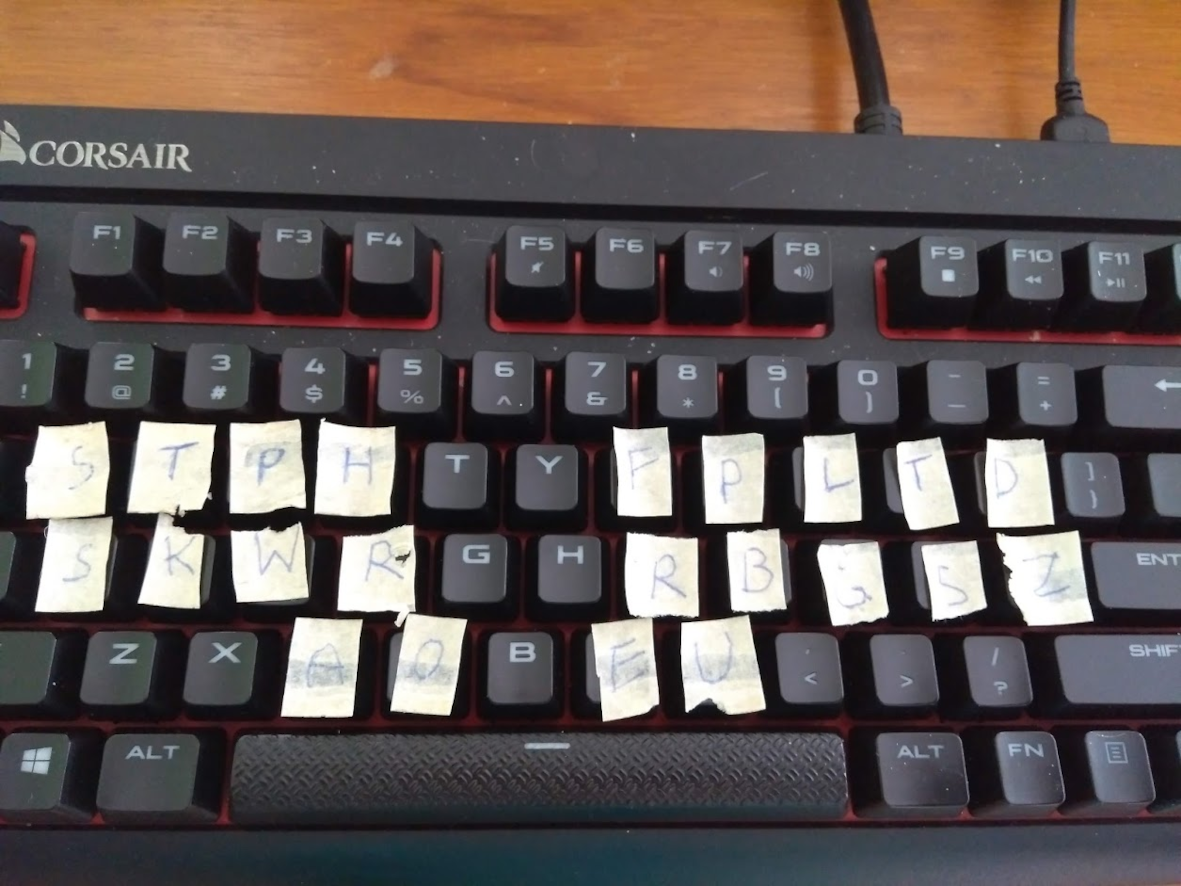
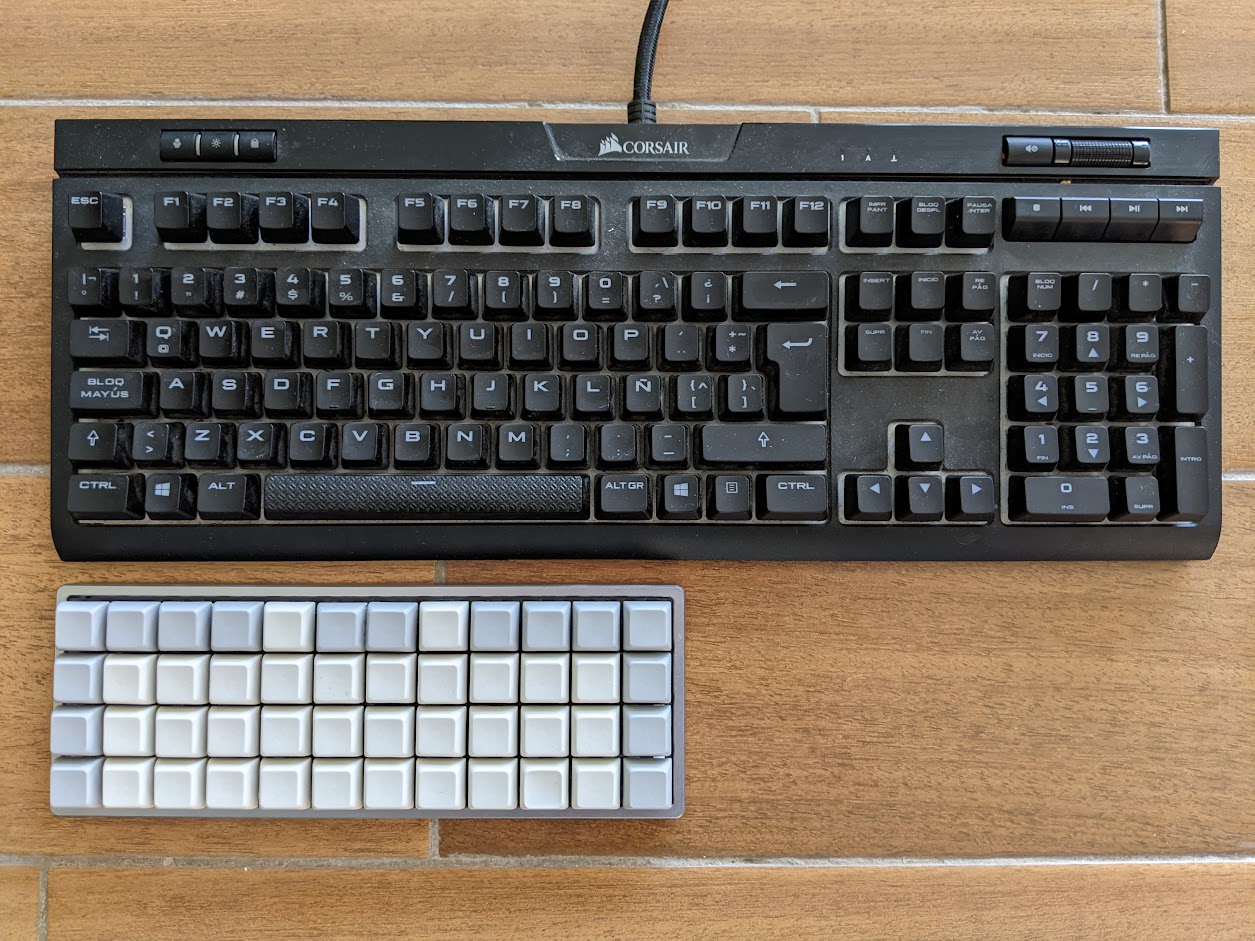
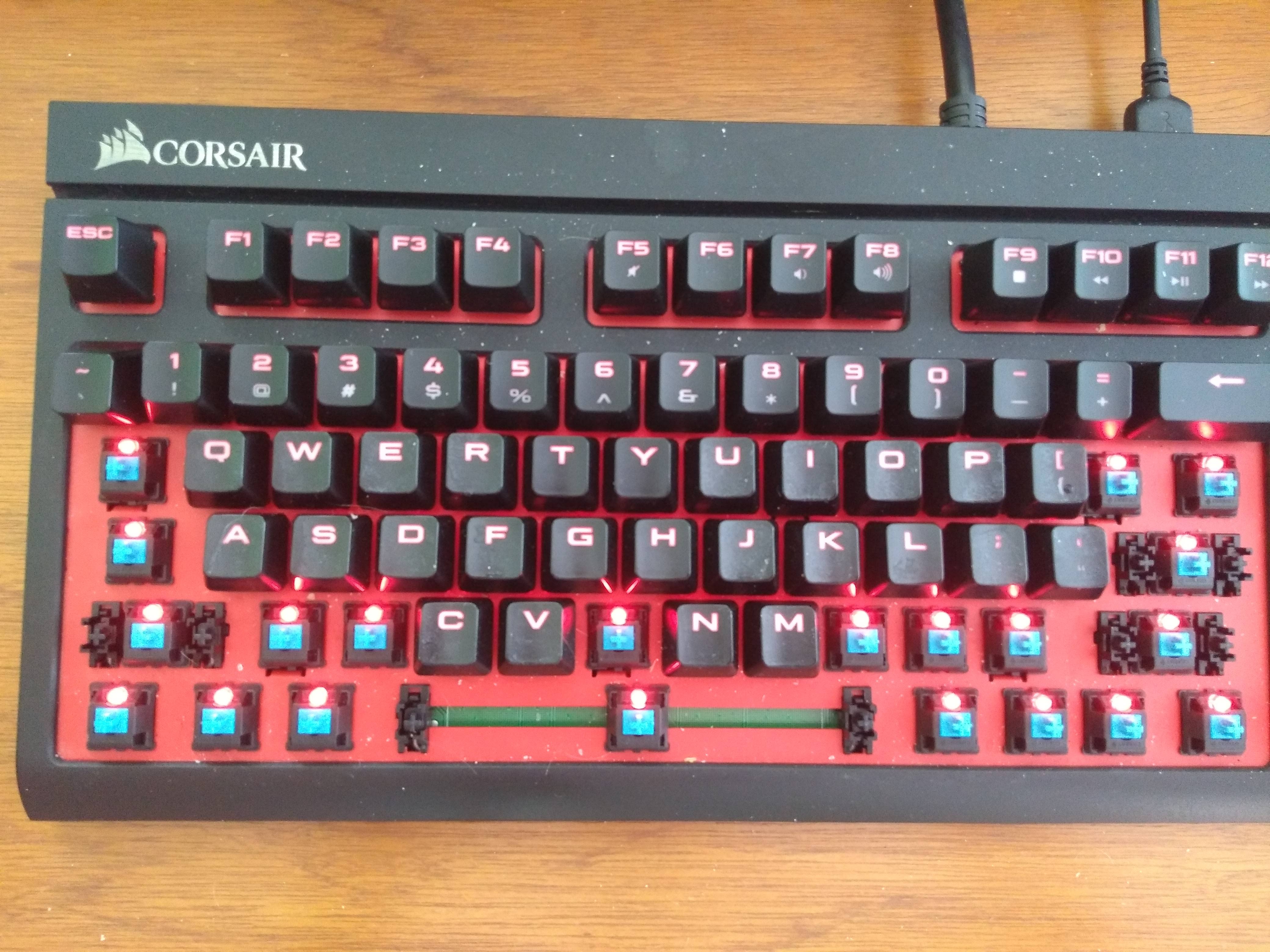
For initial testing, you can test Plover with a normal NKRO keyboard. In figure below you can see my first experiments with a Corsair gaming keyboard. However, standard keycaps and switches are far from optimal for pressing multiple keys at once. For example, red Cherry MX switches are specified with an operating force of 45 cN. Pressing eight keys thus requires 360 cN!
The Georgi steno keyboard presented below uses flat keys with 12g switches (https://www.gboards.ca/product/georgi).
Low-cost Commercial and DIY Keyboards
https://plover.wiki/index.php/Supported_Hardware
The Georgi keyboard (http://www.gboards.ca/product/georgi).
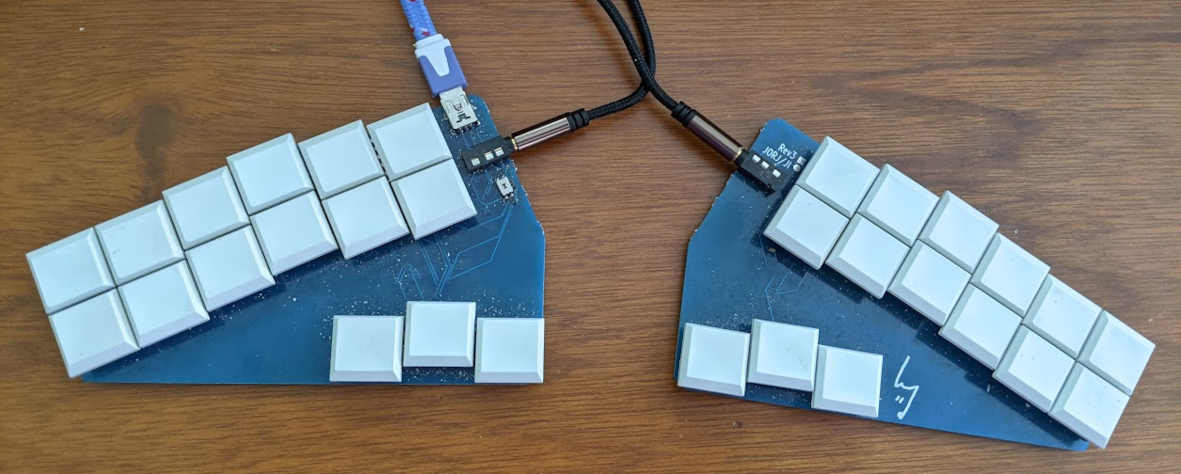
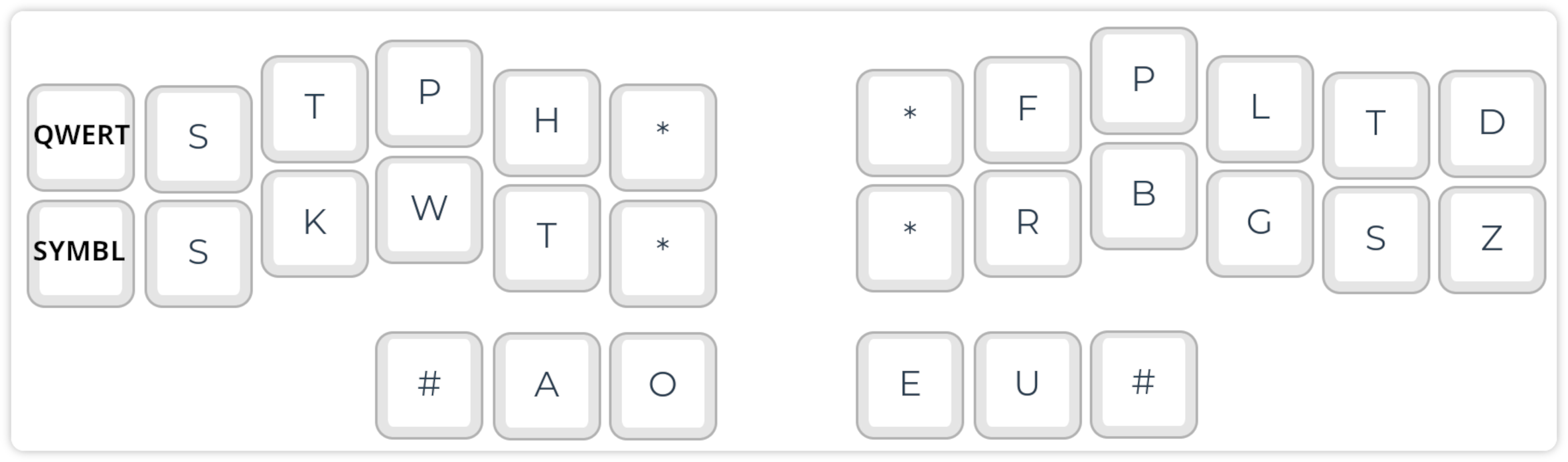
The Stenomod/TinyMod keyboard: https://stenomod.blogspot.com/
Nolltronics Ecosteno and Multisteno: https://nolltronics.com/
You can learn the basic concepts of Steno and Plover at https://github.com/openstenoproject/plover/wiki/Learning-Stenography. I recommend the Learn Plover! book (there are also EPUB and PDF versions), and training with Typey Type.
Cut, Copy and Paste:
- Cut:
KHR-BGS - Copy:
KHR-BG - Paste:
KHR-*F
Editing:
- Backspace:
PW-FP - Delete:
TK*EL - Enter:
R-R
Modifier keys: http://www.openstenoproject.org/stenodict/dictionaries/lh_modifier_keys.html
Left Hand Modifier Keys: Easily type SHIFT+ALT+q etc. with two strokes. After installing this Plover dictionary, you can use easy-to-remember stroke combinations such as:
- Undo:
KHR/STPKW(KHR=Control, STPKW=Z) - Paste unformatted text:
SKHR/SR(SKHR=Shift+Control, SR=V)
Moving in the text:
- Cursor:
STPH-[R|P|B|G] - Word-by-word:
STPH-[RB|BG]
Note: The cursor will move after releasing the keys…
Punctuation and symbols: A simple system for inserting most of the relevant symbols, with options for inserting spaces etc. Highly recommendable! https://github.com/EPLHREU/emily-symbols
Diacritics: https://github.com/vatnid/plover-seoijin/blob/master/fingerspelling_diacritics.json
Modifiers
https://github.com/4hrue2kd83f/plover-left-hand-modifiers
Multilingual Stenography
Diacritics
diacritics.json
{
  "*FB": "{&̀}",
  "*FL": "{&̈}",
  "*FRPB": "{&̊}",
  "*RP": "{&́}",
  "*RPG": "{&̂}",
  "*RPGT": "{&̃}",
  "A*/*FB": "{>}{&à}",
  "A*/*FL": "{>}{&ä}",
  "A*/*FRPB": "{>}{&å}",
  "A*/*RP": "{>}{&á}",
  "A*/*RPG": "{>}{&â}",
  "A*/*RPGT": "{>}{&ã}",
  "A*/SKWRE": "{>}{&æ}",
  "A*P/*FB": "{-|}{&À}",
  "A*P/*FL": "{-|}{&Ä}",
  "A*P/*FRPB": "{-|}{&Å}",
  "A*P/*RP": "{-|}{&Á}",
  "A*P/*RPG": "{-|}{&Â}",
  "A*P/*RPGT": "{-|}{&Ã}",
  "A*P/SKWRE": "{-|}{&Æ}"
}
system-switching.json
{ "TKPW-D": "{PLOVER:SWITCH_SYSTEM:Regenpfeifer}", "TKPWE": "{PLOVER:SWITCH_SYSTEM:English Stenotype}", "TKPW-P": "{PLOVER:SWITCH_SYSTEM:Spanish System (eo variant)}" }
Plover and Vim
Plover steno also
logi-vim.json
{
  "STPR-B": "{#Down}",
  "STPR-BGS": "{^}{#Escape}{^}",
  "STPR-G": "{#Up}",
  "STPR-R": "{#Left}",
  "STPR-S": "{#Right}",
  "STPR-SZ": "{^}{#Escape}{^}:wq{#Return}"
}
Plover Plugins
- plover-plugins-manager (0.7.1)
- plover-console-ui (1.2.1)
- plover-regenpfeifer (0.0.3)
- plover-spanish-system-eo-variant (0.3.0)
- plover-system-switcher (0.0.2)
Before Giving Up with Plover Stenography
Learning Plover steno is hard, and many learners give up early, because it takes weeks to months until one can write even basic texts with QWERTY speed. As soon as you reach the “break-even” point, i.e., a level suitable for practical use, you wouldn’t go back, because writing words letter-by-letter is so stupid…
If you feel frustrated, visit the Plover Discord channel. You are not alone with your beginner’s difficulties and the community is very motivating.
One-Handed Typing, Navigating and Gaming
There are various reasons why you might need one-handed input.
Gamers might use their left hand for cursor movement (‘W, A, S, D’ or linear cursor line) and the right hand for the mouse. Of course, in this case, a split keyboard, or at least a small keyboard, saves a lot of space and makes gaming more ergonomic.
Accountants that need to input many numbers could consider such a configuration, but using one hand for a keyboard with a number block and basic editing commands (TAB, copy/paste, etc.), and a mouse.
Finally, one hand could be temporarily or permanently disabled, e.g., after an accident or because of a disease. In this case, all symbols and commands are ideally available on one hand with little movement. You can realize this with one half of a split keyboard, e.g., a Kyria keyboard with a large thumb cluster. One of the keys can be programmed to switch the layer to make the other side of the keyboard available.
QMK swap hands feature
Dictation and Hybrid Input and Editing
Using dictation for text input has become much more viable, especially for multilingual users. For example, I switch constantly between German, English, and Spanish.
A few years ago, reliable programs were scarce and struggled with accents, but modern tools like the open‑source OpenWhispr (https://openwhispr.com/) now connect to powerful inference models such as Voxtral 3 Turbo from <Groq.com>, which runs over 200 times faster than real time and even outpaces stenography.
These systems can not only transcribe speech but also forward the text to an LLM for processing based on a keyword‑triggered prompt (e.g., “hey Whisperer”).
This enables on‑the‑fly translation, email drafting, or other tasks.
Nevertheless, the workflow still benefits from a final manual edit, making the combination of dictation and keyboard editing the most efficient hybrid approach.
Programming Keyboards
All right, you are serious and want to adopt the keyboard to your needs!
Naturally, first you need a programmable keyboard. Certainly, there might be provider-specific hardware-software solutions. But if you want to have full control, plenty of features, and support by a helpful and competent community, you should go for QMK https://qmk.fm/.
Basically, all keyboards described in this book can be programmed with QMK, with the exception of commercial end-products. For example, if you try reprogramming your Apple or Corsair keyboard, probably you will feel very lonely.
On the other side, there are high-end keyboards, such as the Ergodox and the Multisteno, that come with QMK compatibility and provider support for reprogramming.
QMK The QMK Configurator [@qmk-contributors_qmk_2022].
Remapping
Additional Features
QMK Command Line Interface
Prepare QMK
pipx install qmk
qmk setup
Directory and File Structure
~/qmk_firmware/keyboards/handwired/dactyl_manuform/4x6/keymaps/colemakdh_dactyl-manuform-4x6/
config.h
keymap.c
rules.mk
Personal QMK Git Repository You can create a Git repository for your personal QMK projects, and include the keyboard layouts into the
qmk_firmware/keyboards/path with symbolic links. My QMK repository is at https://github.com/robert-winkler/QMK.git
Define Keyboard and Keymap
qmk config flash.keyboard=handwired/dactyl_manuform/4x6 flash.keymap=colemakdh_dactyl-manuform-4x6
Flash Arduino
For a split keyboard, you need to flash the Arduino of each part.
qmk flash
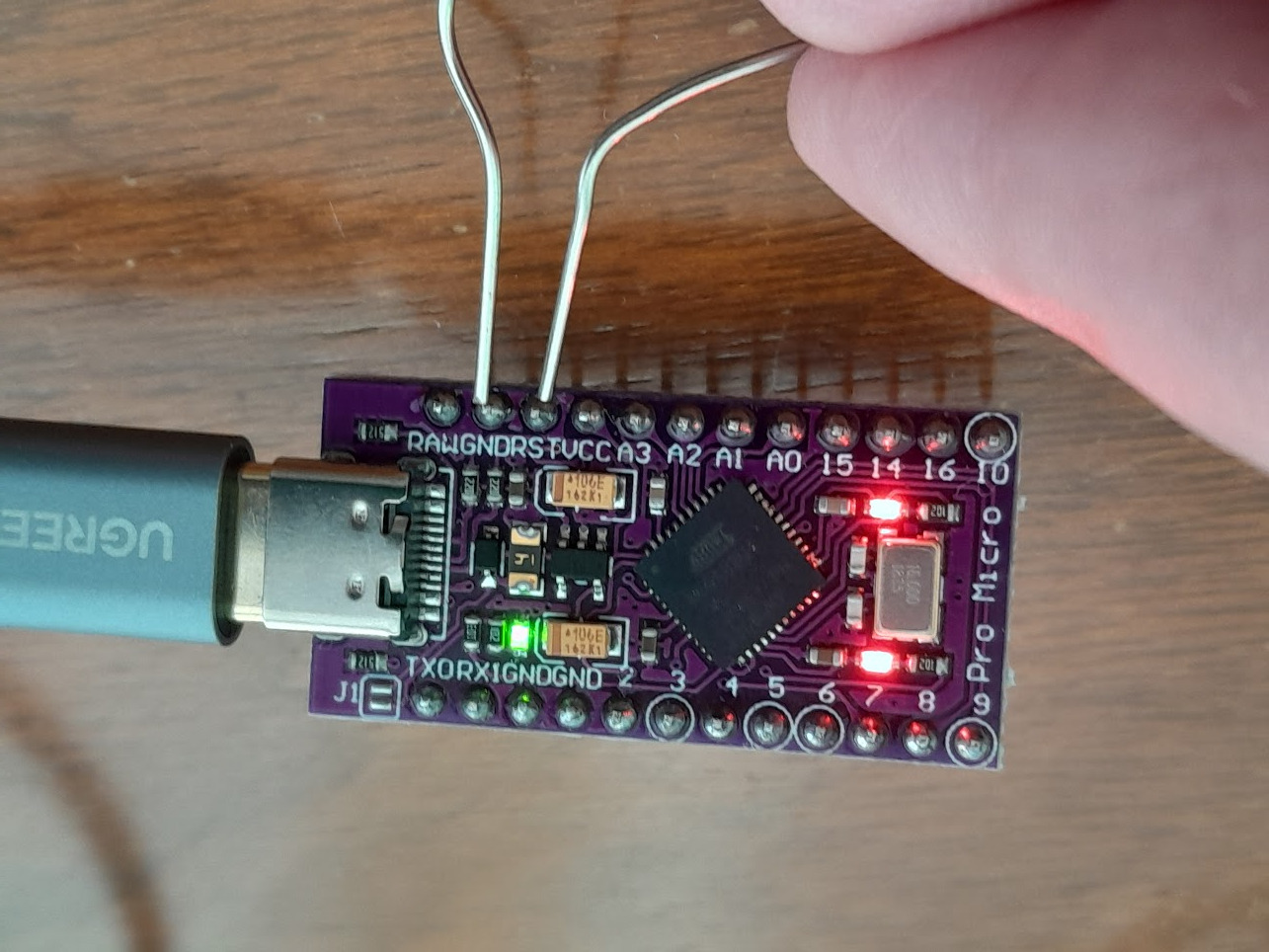
Shortly connect the ground (GND) and reset (RST) pins of the Arduino for putting it into flashing mode.
I’m Stuck, Bricked My Keyboard Software, etc.
Don’t panic! Most programming issues will not permanently affect your keyboard. If you can’t find the solution to your problem in the QMK documentation, you will find helpful people in the QMK Discord channel.
I Just Want to Buy a Keyboard! But Which Should I Choose?
Selection Criteria
- Type and quality of switches
- Keyboard design
- Programmability
Gamer Keyboards
Gamer keyboards usually come in a standard keyboard size and design. However, the switches are of higher quality and mechanical. Gamers often use linear light switches. Many gamer keyboards are illuminated (e.g., red or rainbow colors); sometimes, the illumination can be programmed (color, brightness, wave- or breath-style). The keyboard might also include special keycaps for gamer keys such as ‘W, A, S, D.’ Some models are programmable.
Writer Keyboards
For professional writer keyboards, the standard keyboard size and design are also typical. Those keyboards often have tactile switches. Some switches produce a ‘click’ sound, satisfying the author (and informing surrounding people that you are busy). However, in shared offices, you might prefer a silent switch. There are stylish keyboard versions, e.g., ‘Das Keyboard’ (https://www.daskeyboard.com/) without key legends. High-end writer keyboards are programmable to some extent.
Programmer Keyboards
This keyboard type is made for technique-affine people who spend most of their lives on a computer. Such keyboards should be fully programmable, e.g., with QMK. You can find ortholinear, smallish, and split programmer keyboards.
Stenography Keyboards
Professional stenography keyboards are not treated further because interested users should test them before investing several thousand USD. Consumer-grade steno keyboards cost ~100-200 USD. Most petite models only provide a minimal set of keys. E.g., the popular Georgi keyboard (see below) only has 2 x 15 keys (https://www.gboards.ca/product/georgi). A QWERTY keyboard can be simulated by pressing several keys together. The Georgi keyboard is split. There are also single-board steno keyboards such as the tiny mod (https://stenomod.blogspot.com/).
Special Keyboards and Custom Builds
Some companies also offer special builds, such as the Dactyl Manuform. In addition, providers of do-it-yourself kits sometimes also give the option to build the keyboard for you.
I’m a Maker! How to Build Your Keyboard(s)
During the COVID-19 pandemic, I relaxed by building keyboards. The lockdown/lock-in took longer than expected, so I could test various kits and mods, and also built a hand-wired keyboard. These boards are:
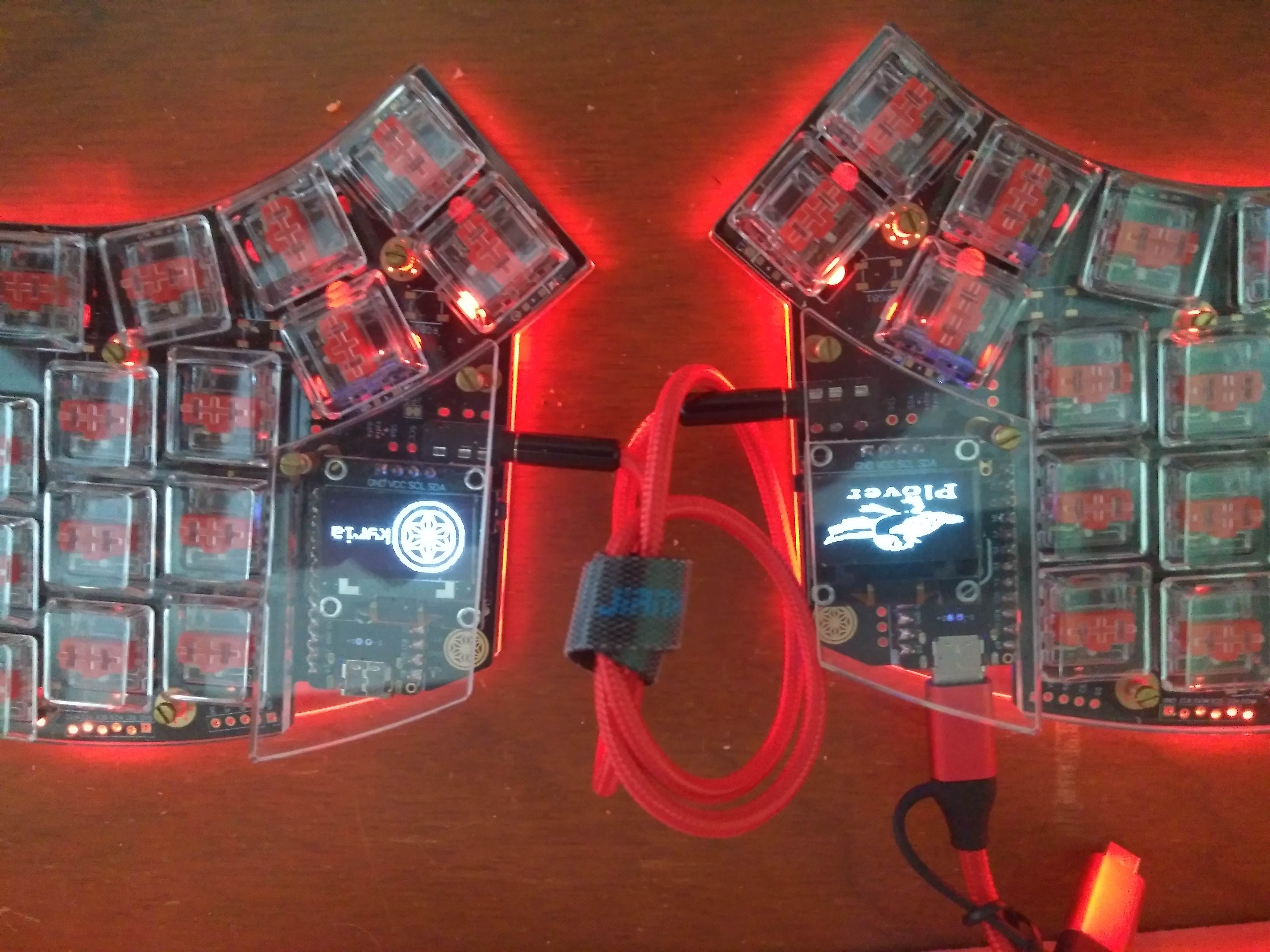
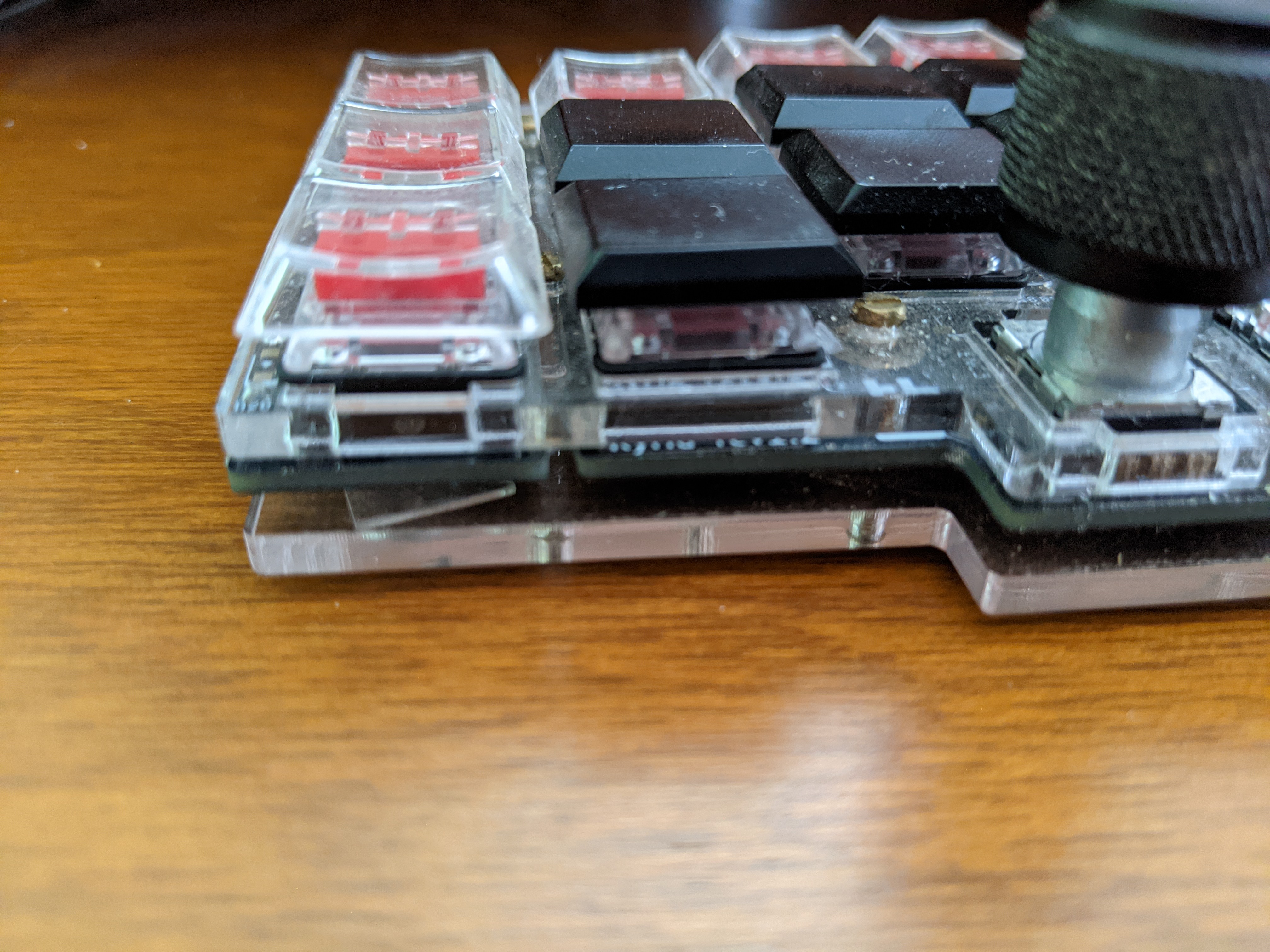
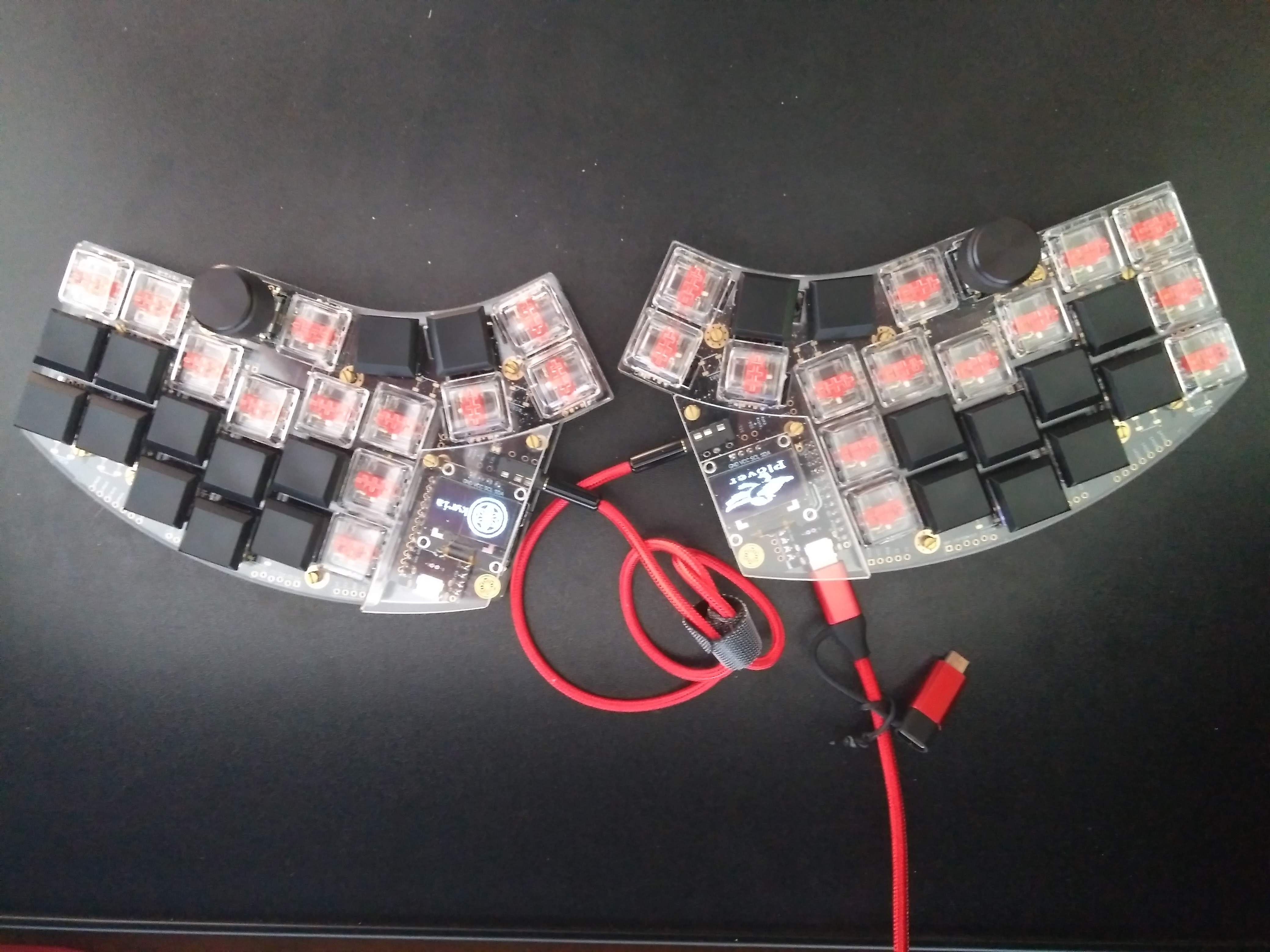
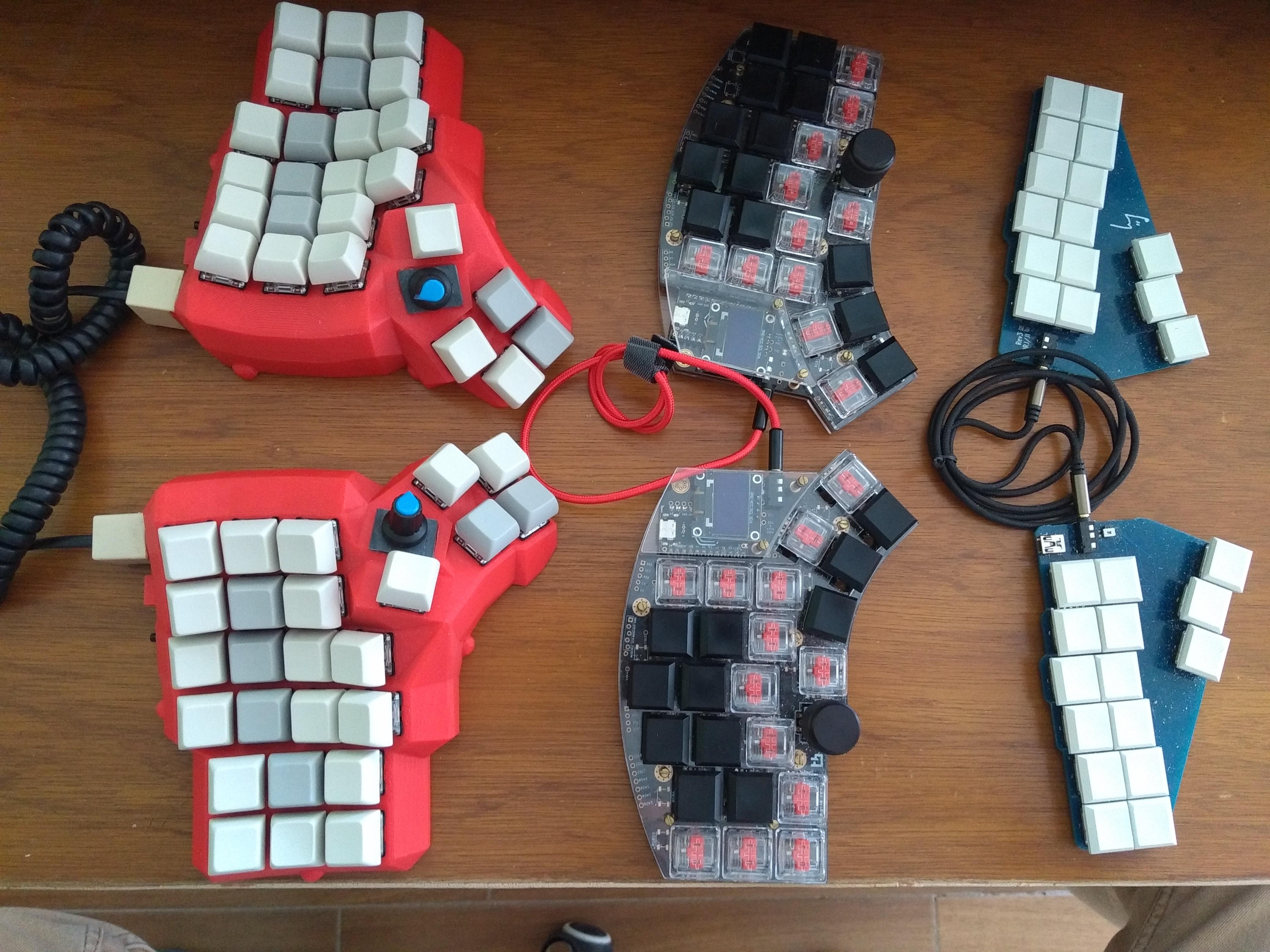
- Kyria: A split keyboard with 50 keys; optionally, two keys can be replaced by rotary encoders. As well, you can add two OLED displays. Overall, the Kyria provides many possibilities and has good support by its creator in Discord.
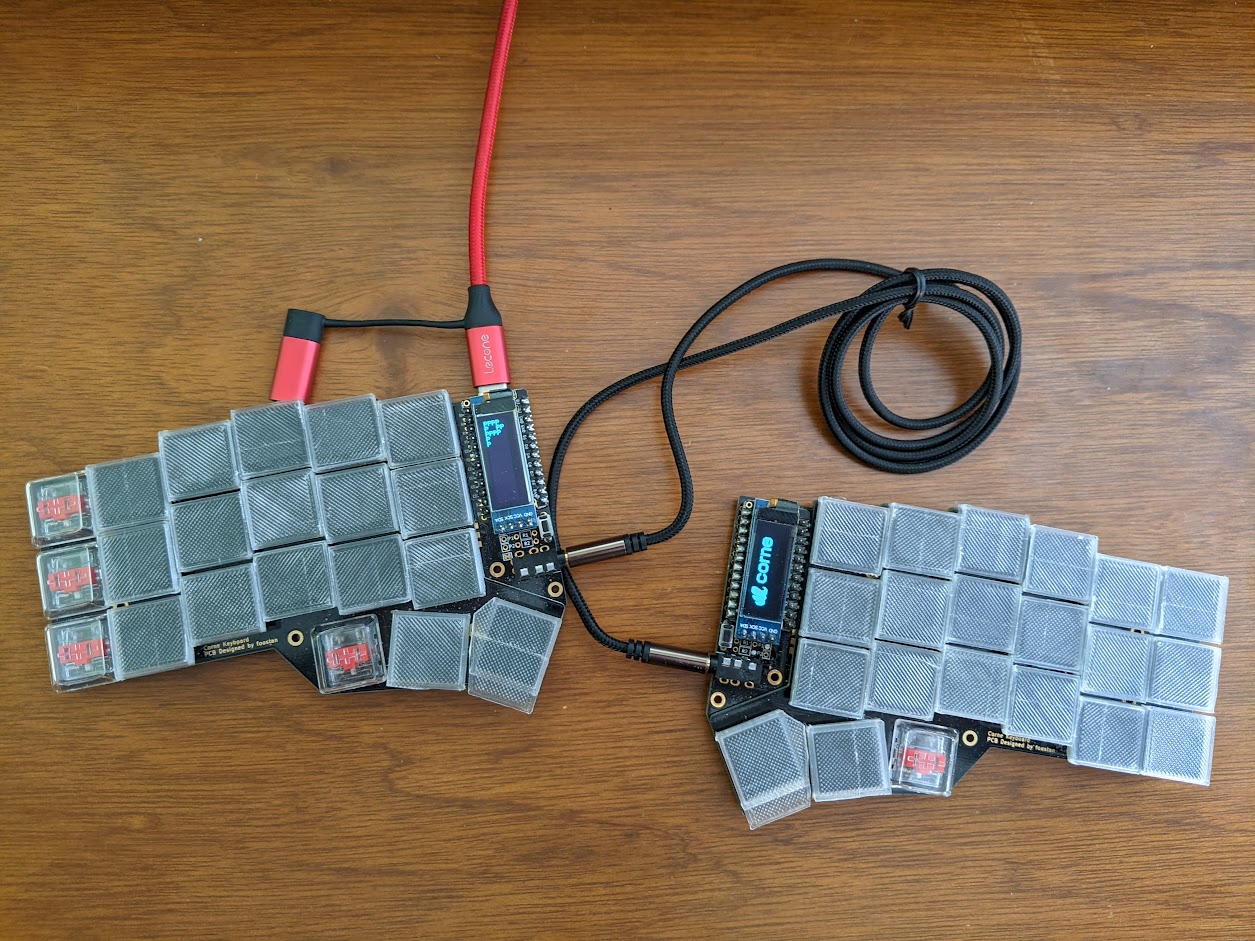
- Corne: This is a real classic split keyboard. I’m writing these lines on a Corne with Plover steno. My board has 3 x 6 keys and 3 thumb keys on each side. A little OLED screen on the left side informs about the active layer, the right screen is only decorative at the moment and has no further function. You can find different PCB designs from diverse providers.
- JJ40: I might be wrong, but to me the JJ40 seems a clone of the Planck, which is a classic 40% non-split keyboard with 4x12 switches. There are many offers of through-hole and SMD PCBs, and other accessories, such as cases.
- Dactyl Manuform: A 3D printed split keyboard with focus on an ergonomic design. There are different versions published. However, building a Dactyl Manuform needs some technical skills and may be less suitable for beginners. I will show the building of a Dactyl Manuform below, because it shows all technical aspects that might be relevant for keyboard makers.
Hack: Unless you know what you are doing, get a keyboard kit from a reliable provider. Also check if there is support, either by the provider or by the community. After building and programming your first keyboard, you can be more brave!
https://github.com/abstracthat/dactyl-manuform
Components
Essential Components
PCBs (or Manual Cabling)
Switches
Keycaps
Diodes
Microprocessor
Optional Components
Rotary Encoders
Rotary encoders function as switches (keys) and additionally can be used for a left/right adjustment of values. Thus, they can be used, e.g., for volume control or scrolling.
OLEDs
Extra information, such as the typing speed or the chosen layer, can be displayed on OLED screens.
LEDs
For keyboard illumination.
Manual Build of a Dactyl Manuform Keyboard
The Dactyl Manuform is a challenging but rewarding build that demonstrates all the key aspects of hand-wiring a split keyboard. Below is a visual guide to the construction process.
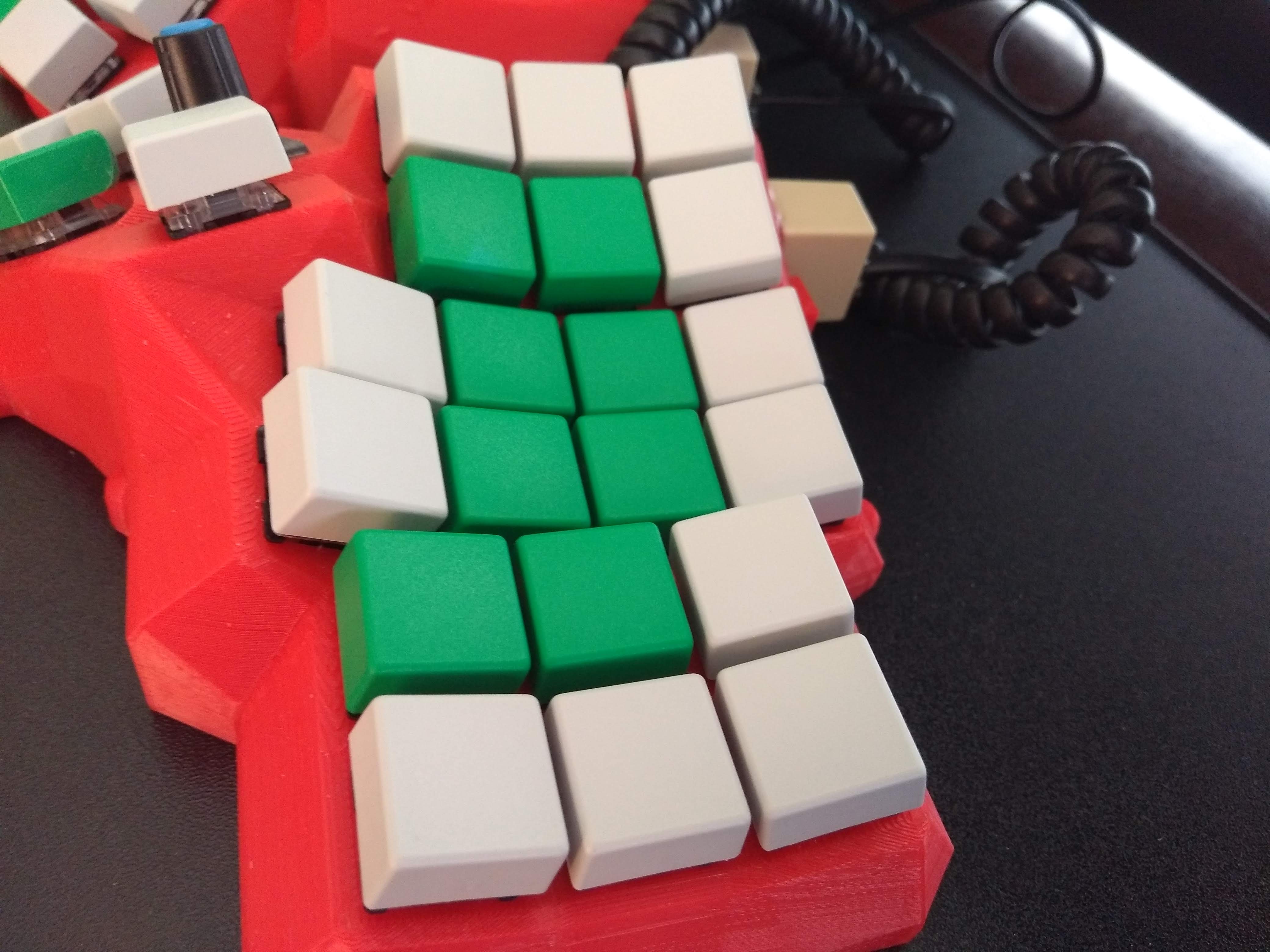
3D-Printed Case
The Dactyl Manuform case is 3D printed in two halves (left and right). The design is parametrizable, allowing you to adjust the shape, tenting angle, and other ergonomic features to your preferences.
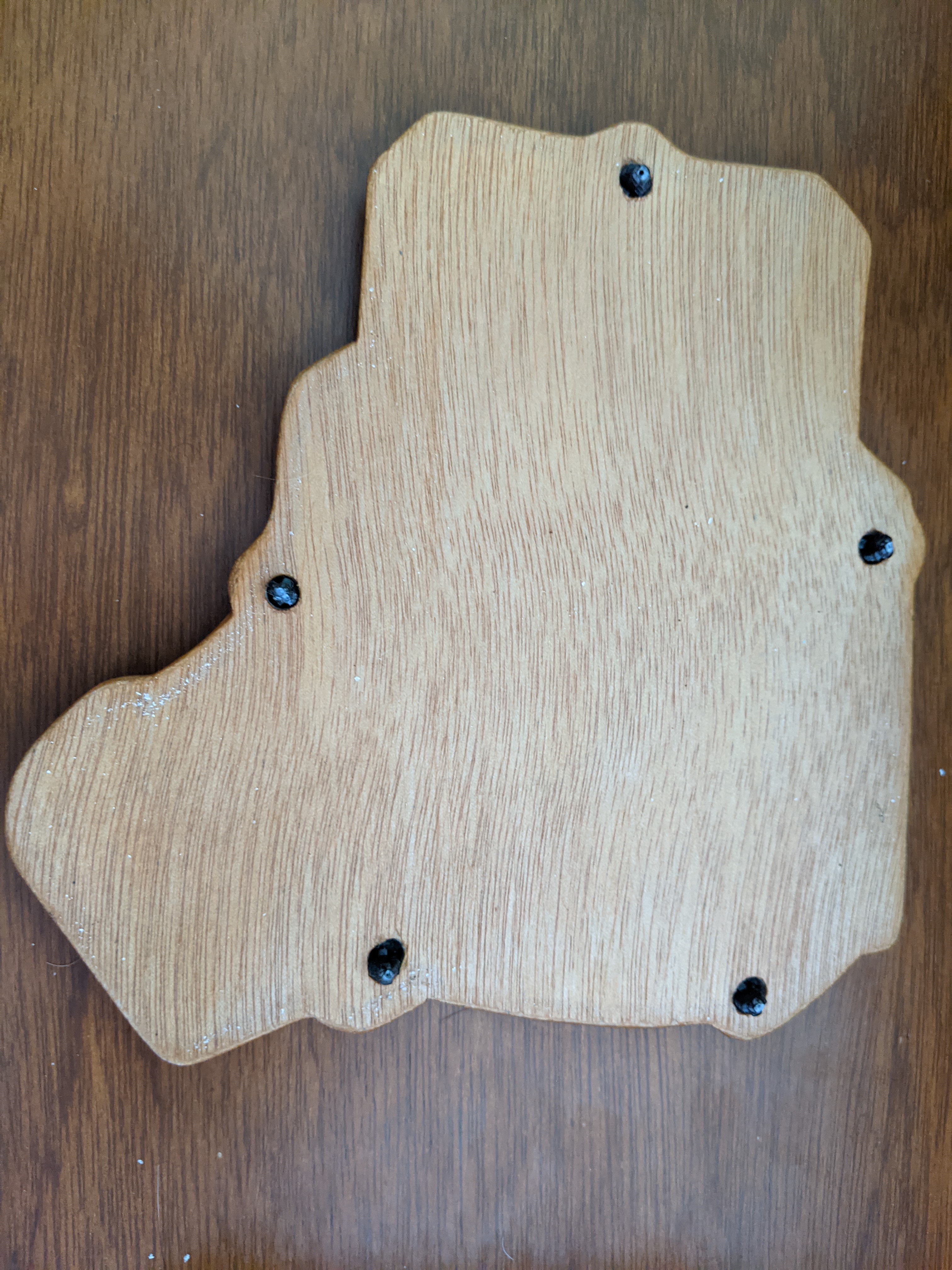
Placing the Microcontrollers
Each half of the keyboard requires its own microcontroller (typically a Pro Micro or similar).
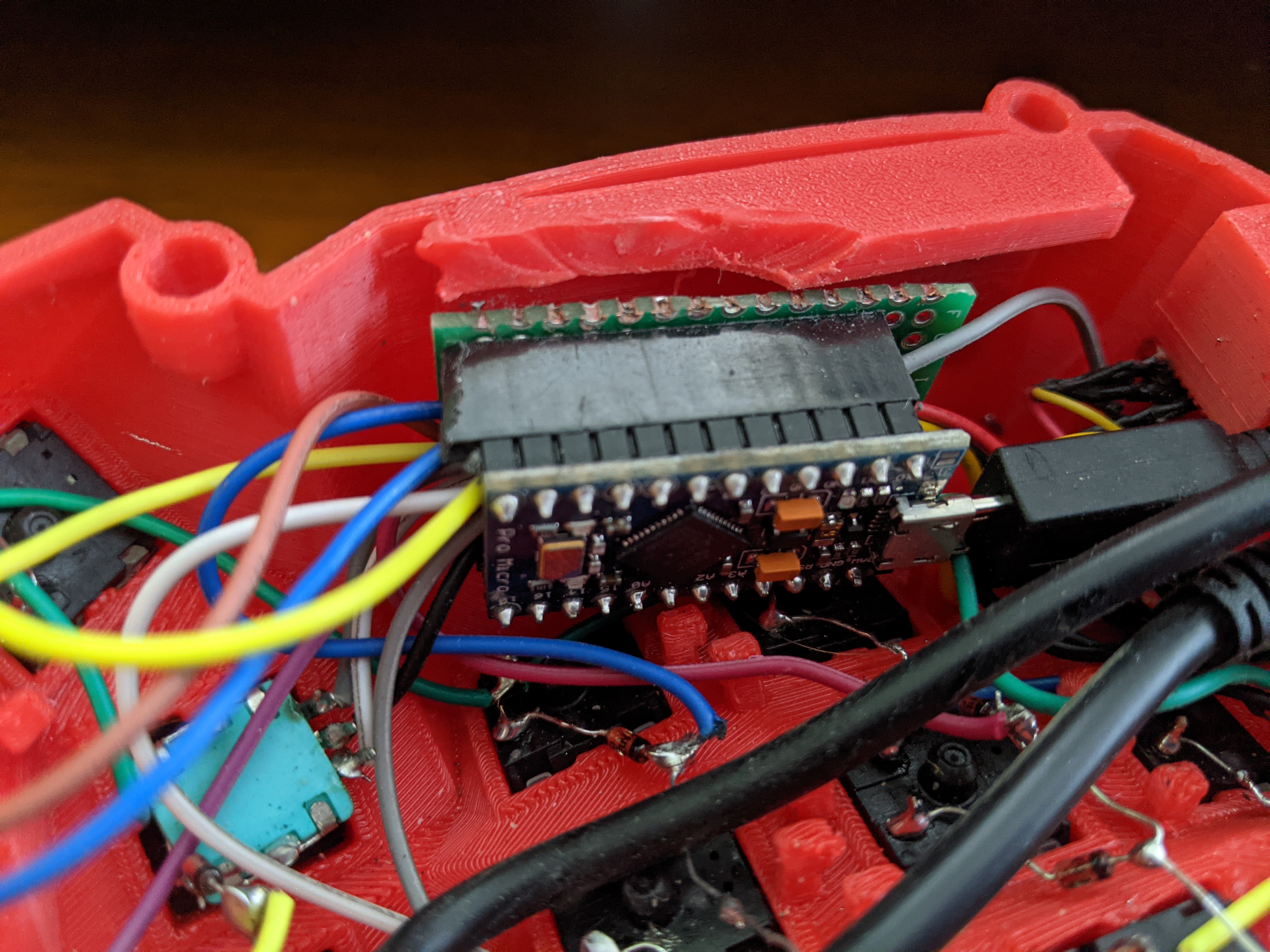
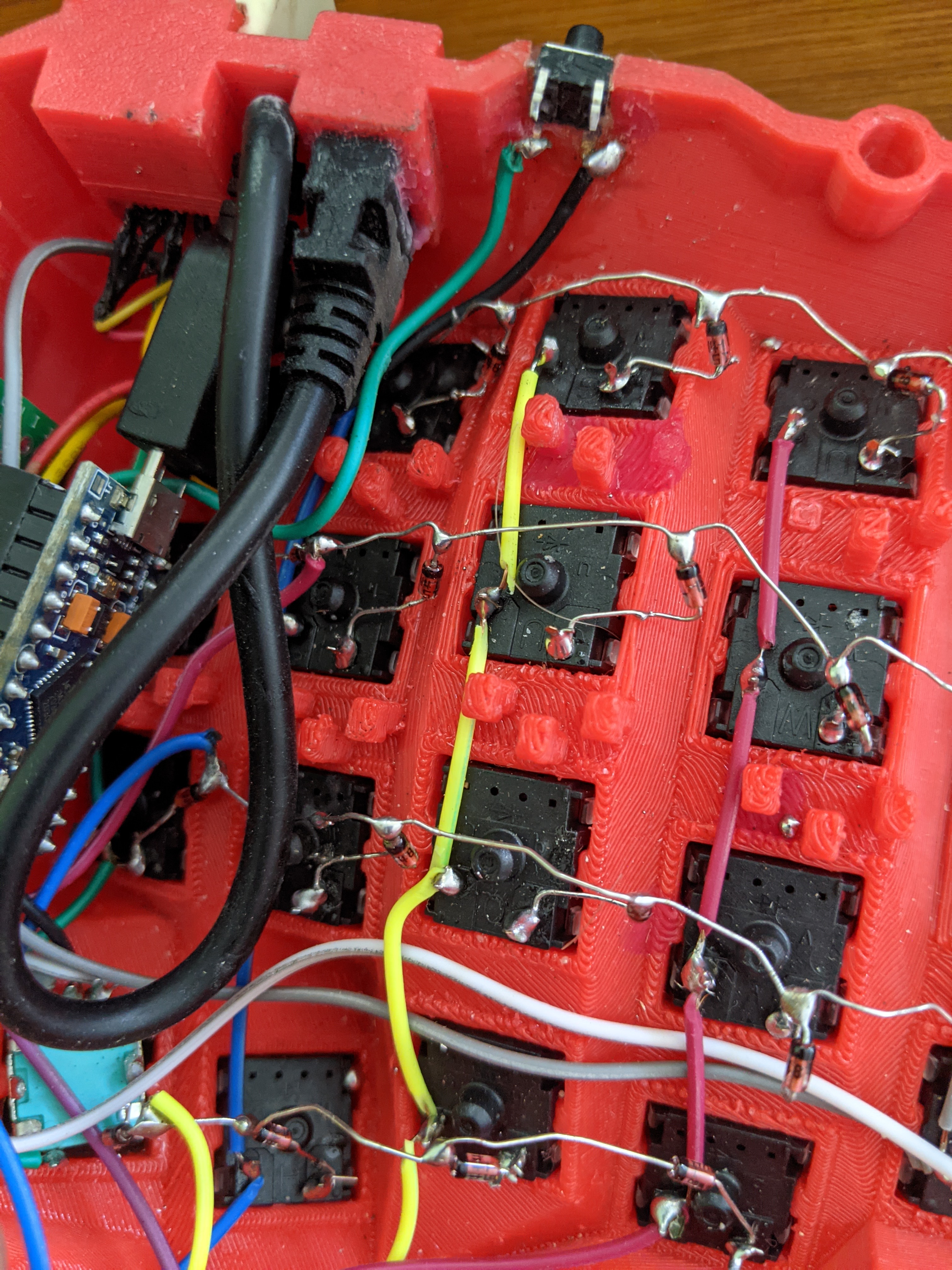
Wiring the Matrix
Hand-wiring requires patience and precision. Each switch needs to be connected in a matrix pattern.
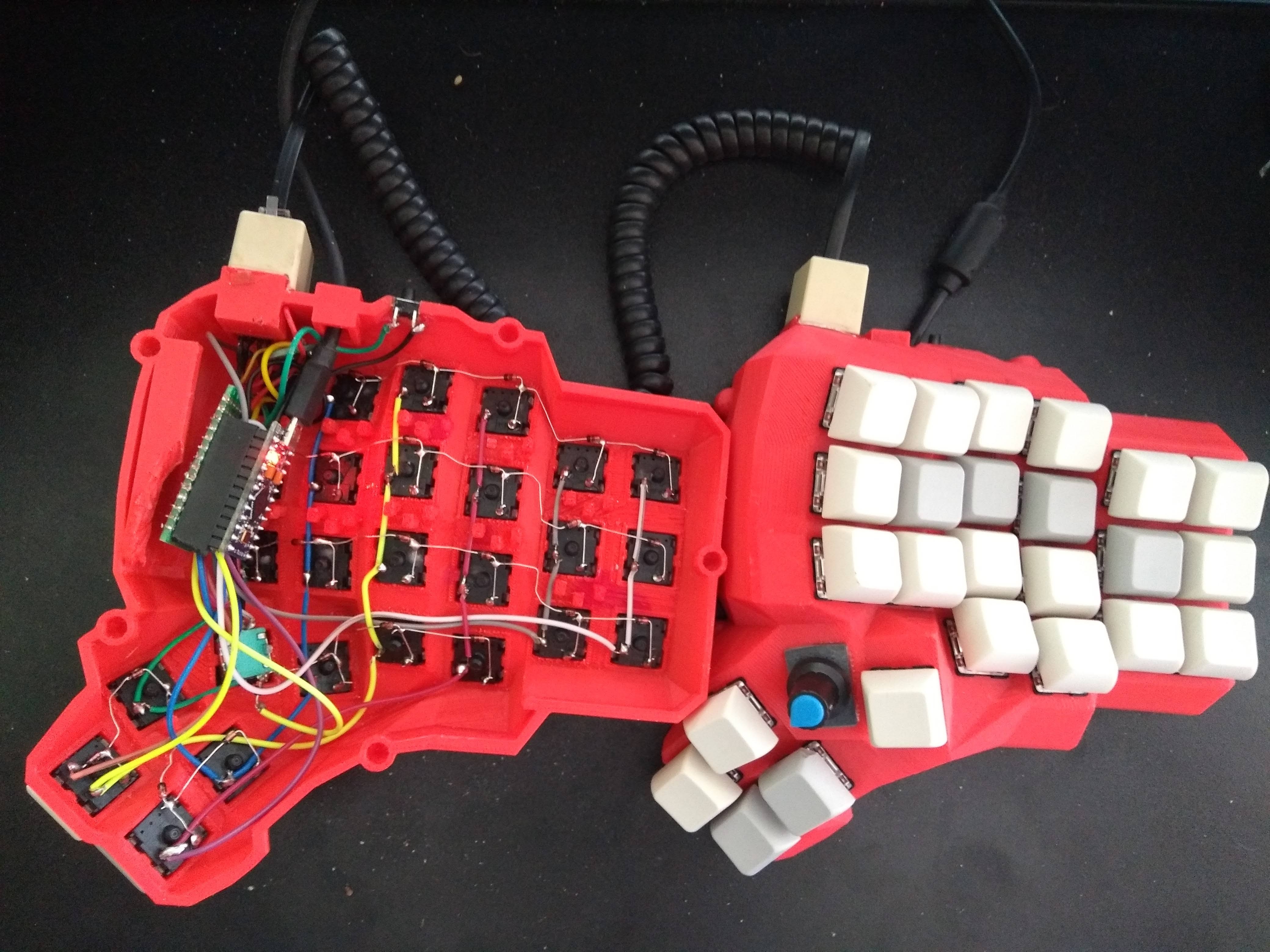
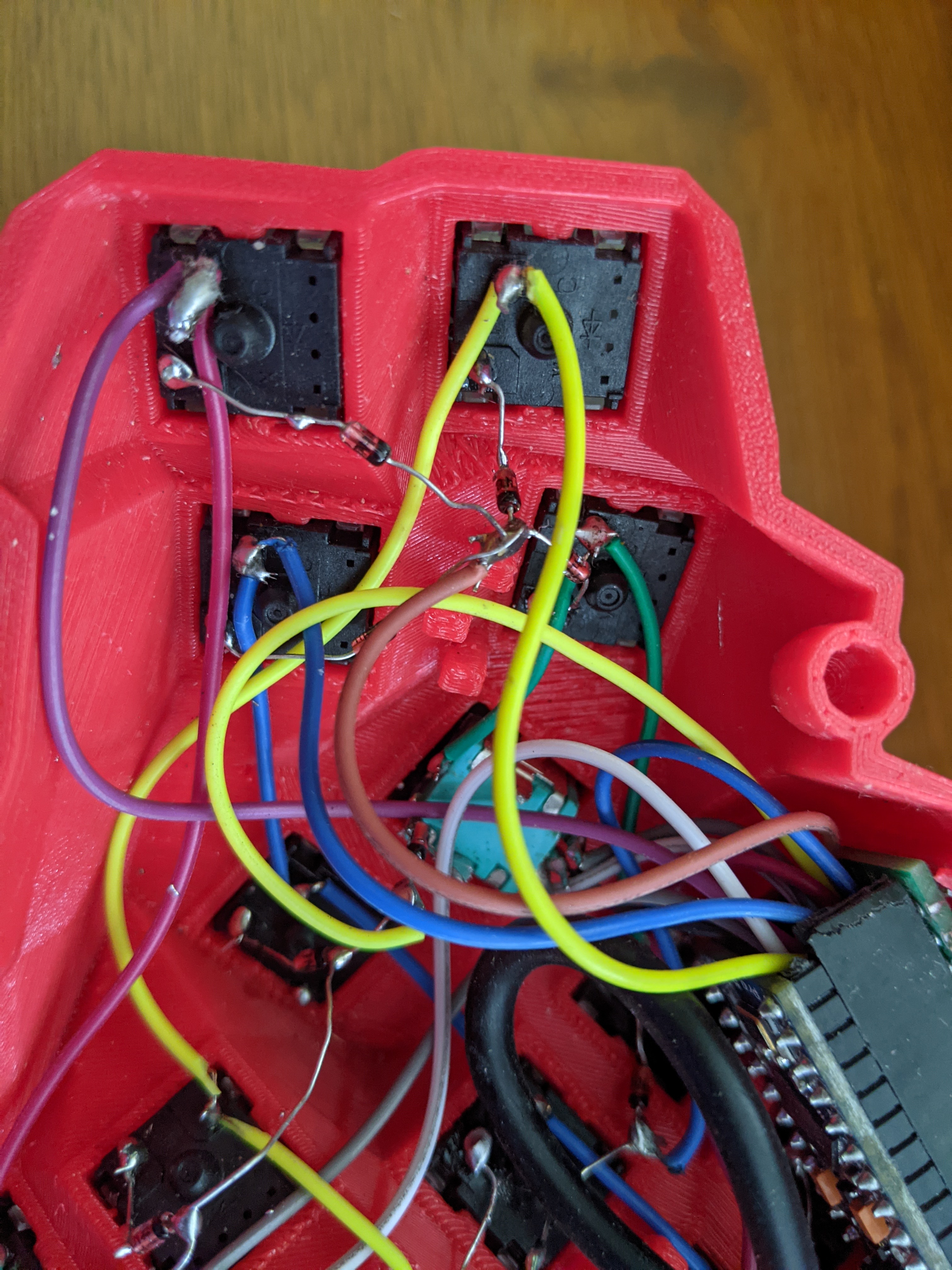
Thumb Cluster
The thumb cluster is a distinctive feature of the Dactyl Manuform, providing comfortable access to modifier and layer keys.
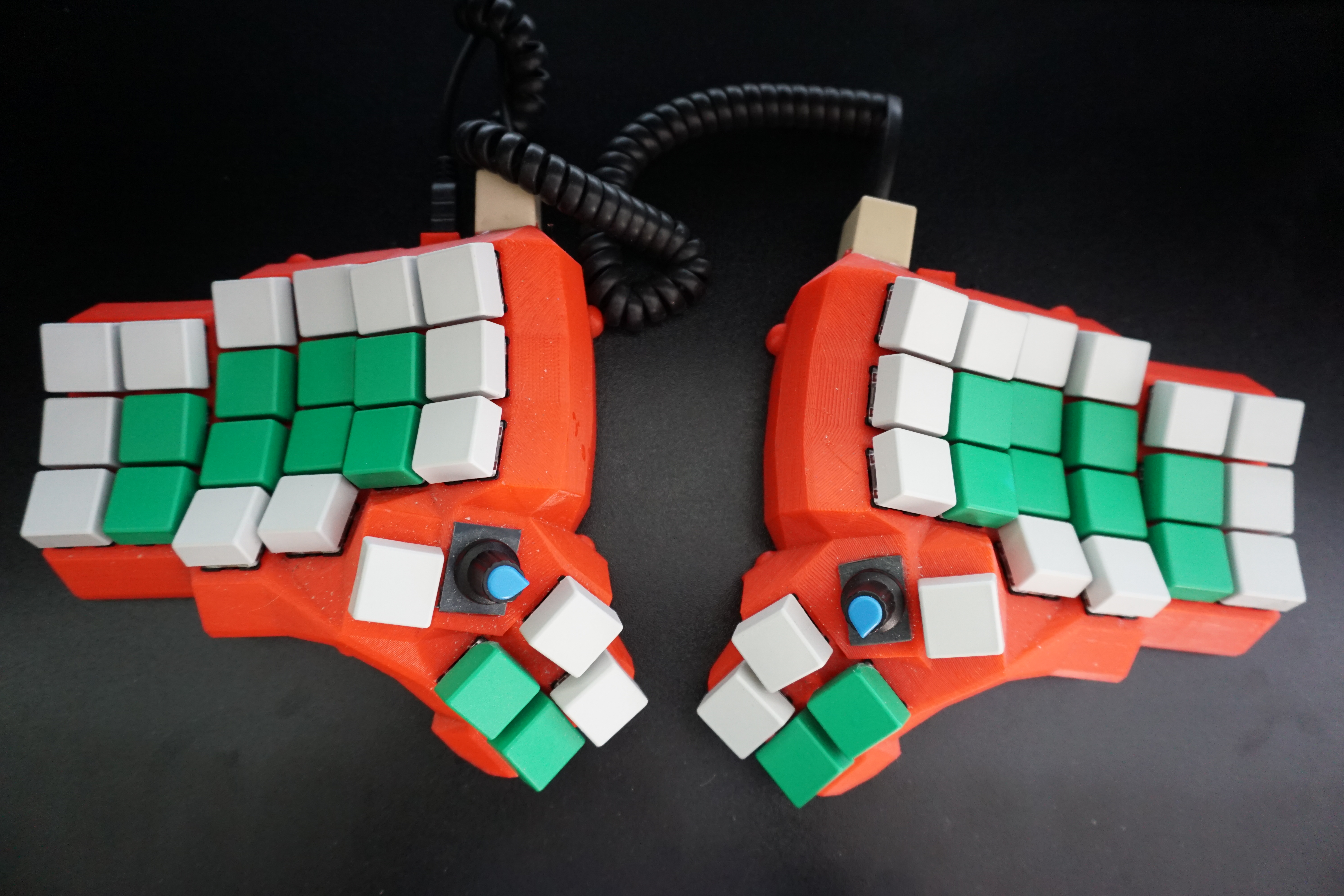
Final Assembly
After completing the wiring, the keyboard is ready for firmware flashing.
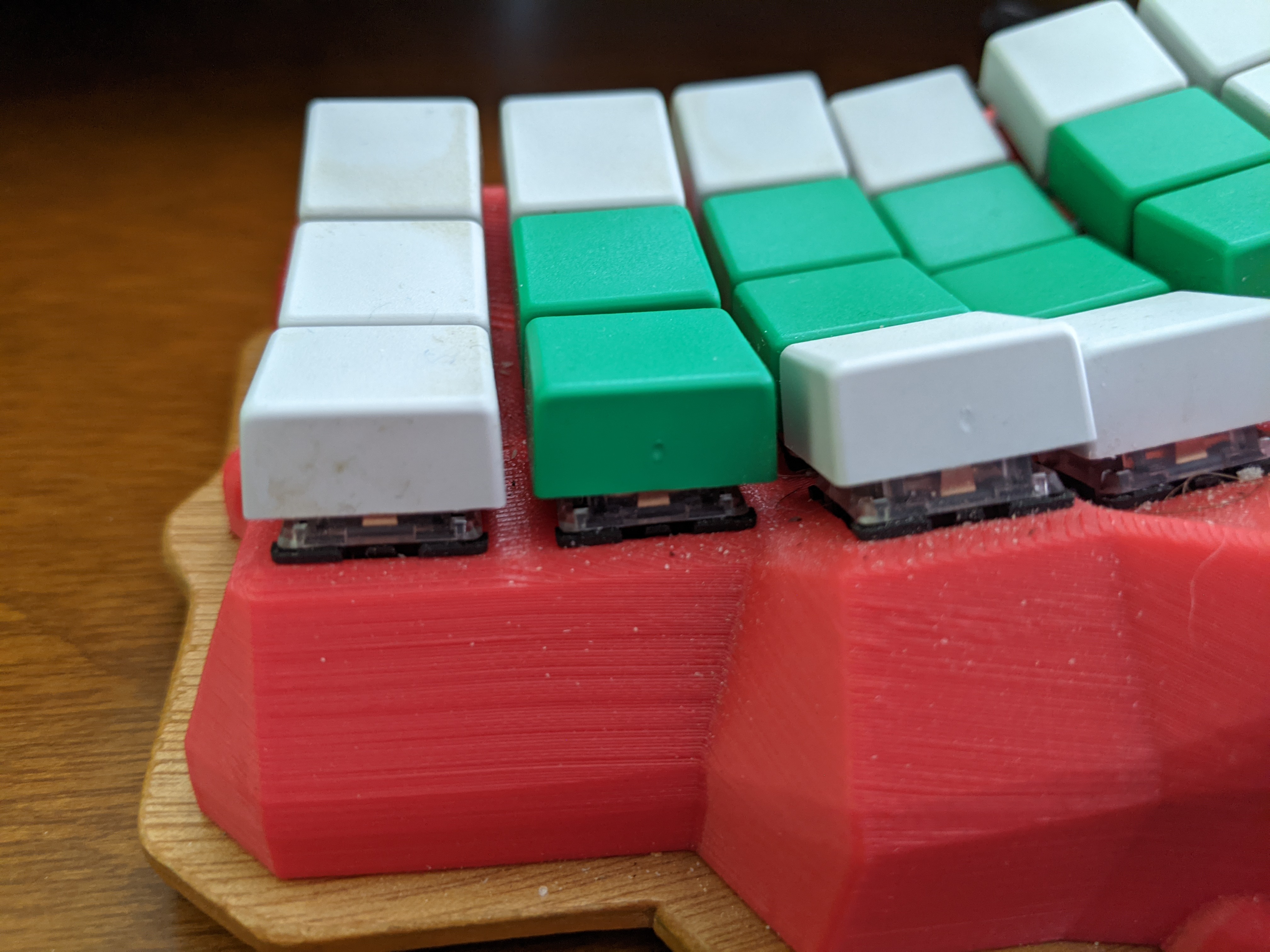
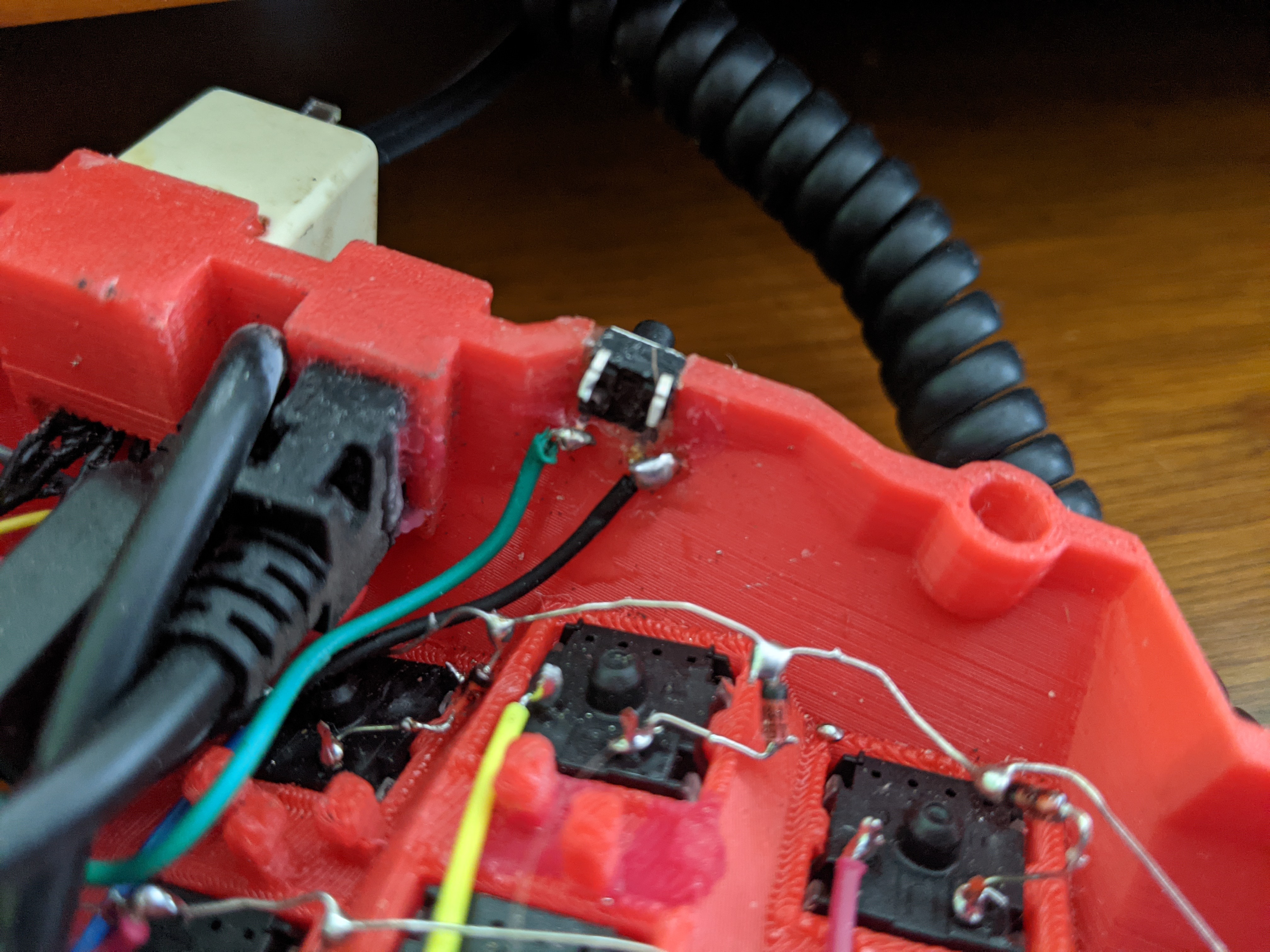
Side View
Reset and Power Connections
The keyboard halves need to be connected for power and data. A TRRS cable or similar connection is typically used.
Designing a Custom Keyboard
The Keyboard-Layout-Editor.com (http://www.keyboard-layout-editor.com) is a web platform for designing physical keyboards. The editing advance can be saved using a GitHub account.
Keyboard Photo Gallery
This chapter showcases various keyboards, builds, and workspace setups to give you a visual sense of the diversity in mechanical keyboards, especially in the ergonomic and split keyboard space.
Split Keyboards
Split keyboards separate the keys into two halves, allowing you to position each half independently for better ergonomics.
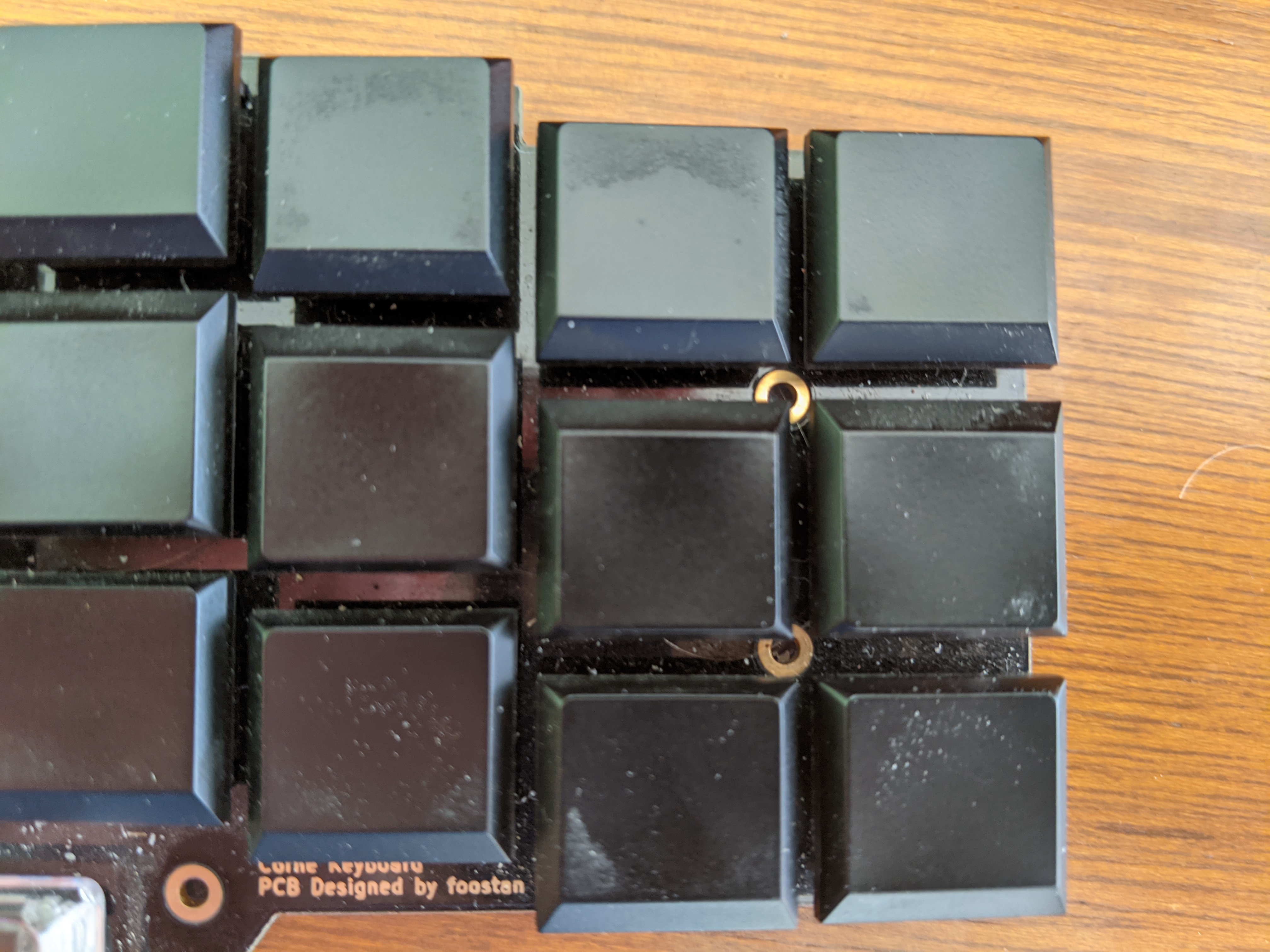
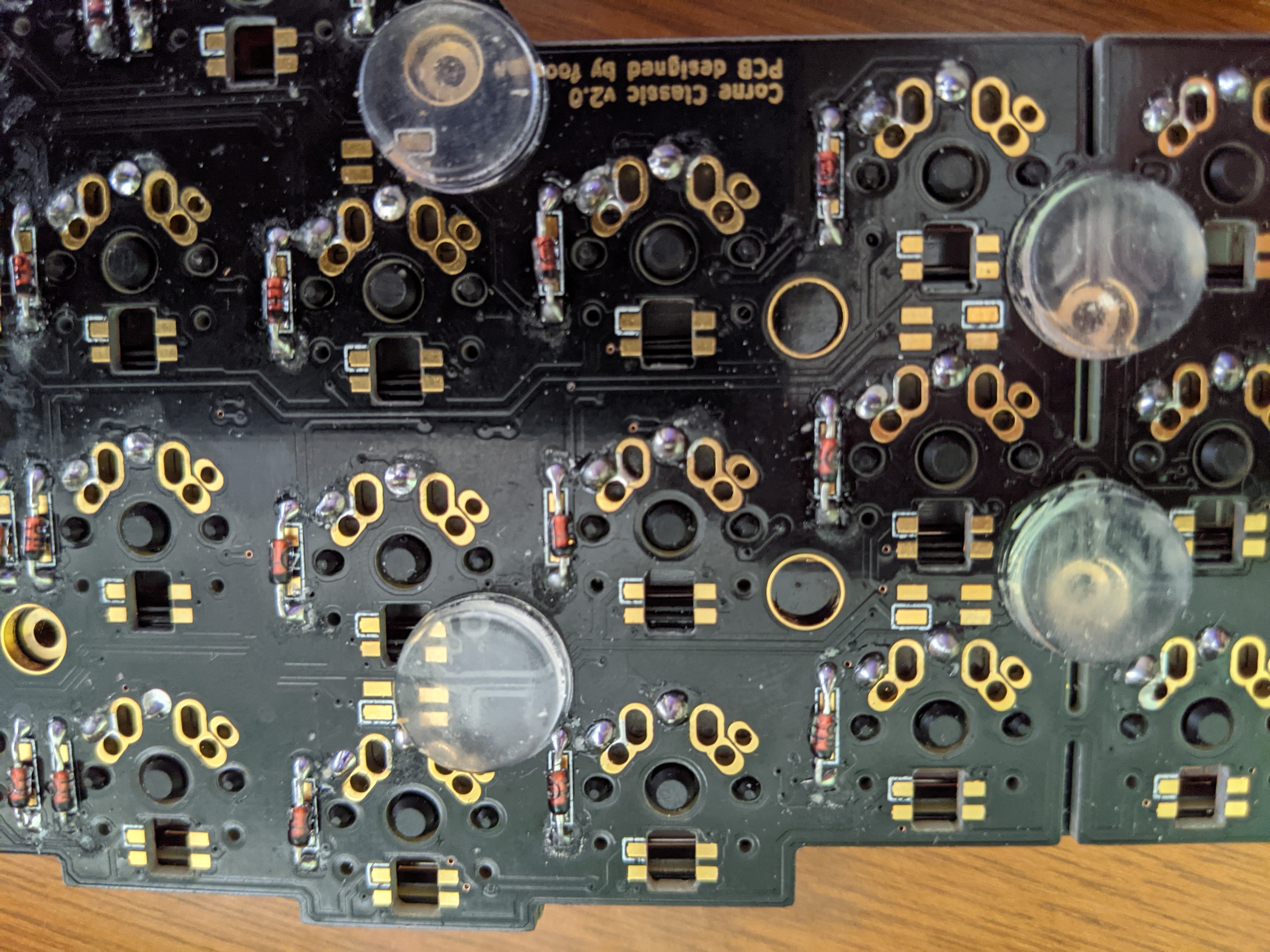
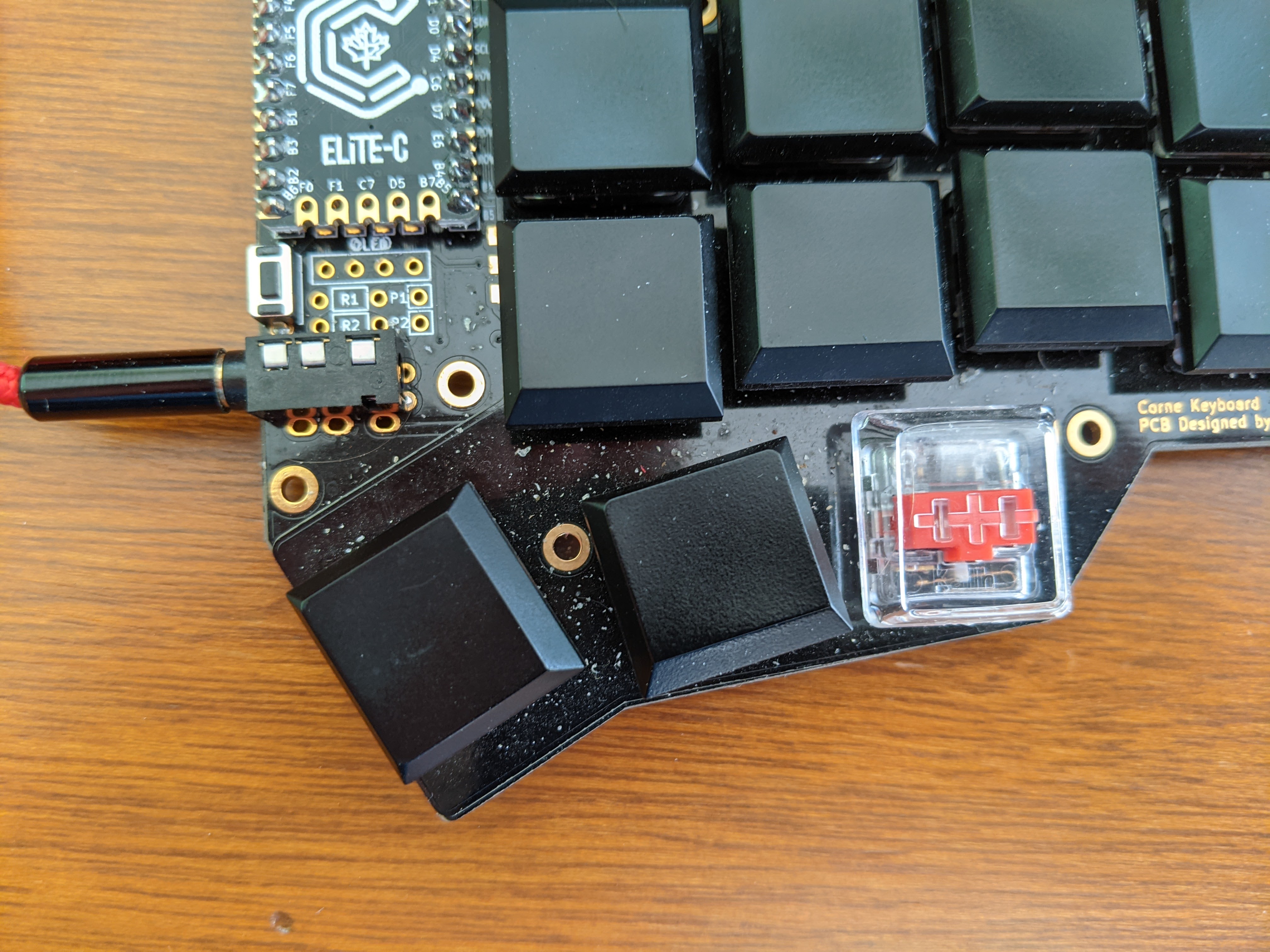
Corne Keyboards
The Corne (also known as Crkbd) is a popular 40% split keyboard with a columnar staggered layout.
Kyria Keyboards
The Kyria is a split keyboard with support for OLEDs and rotary encoders.
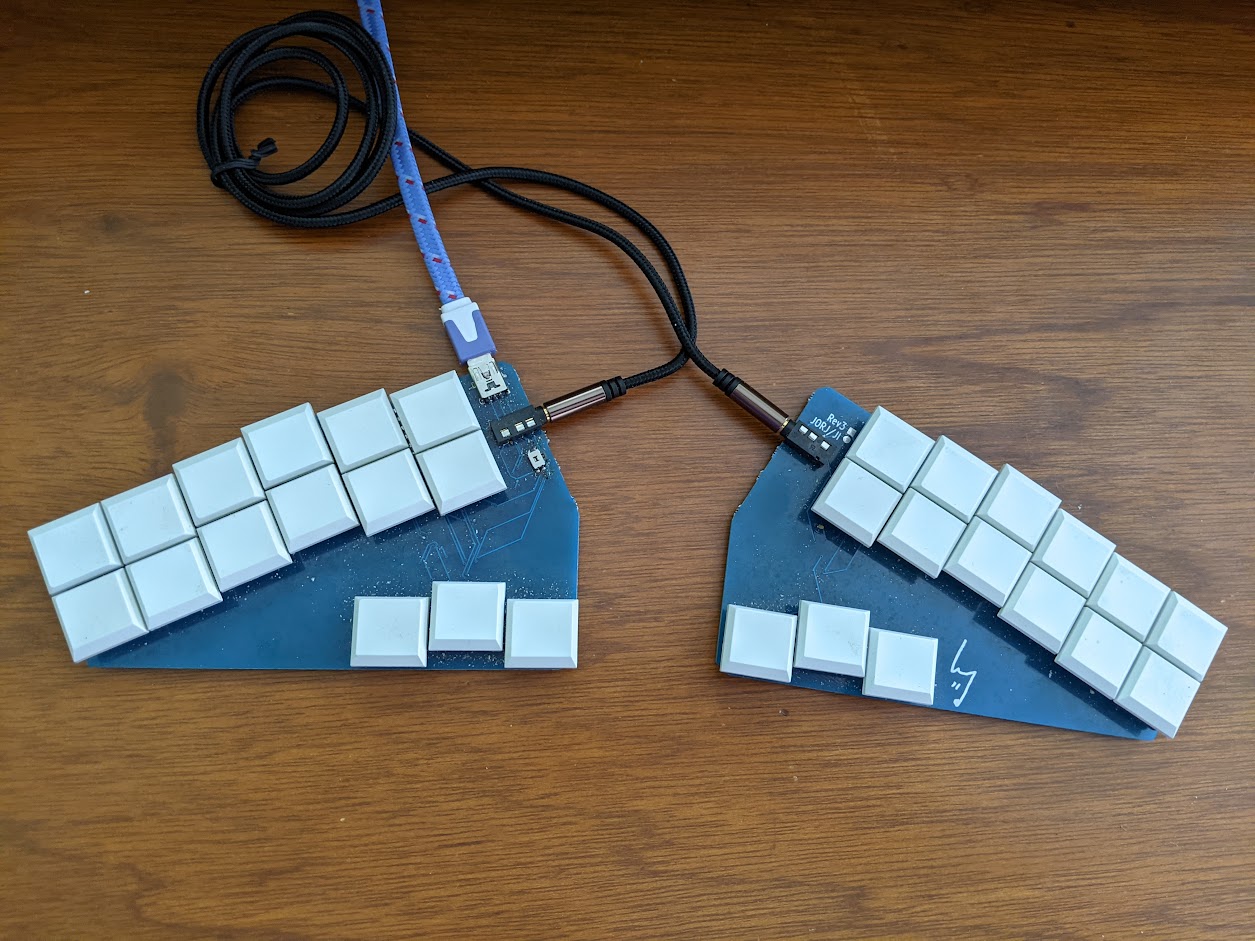
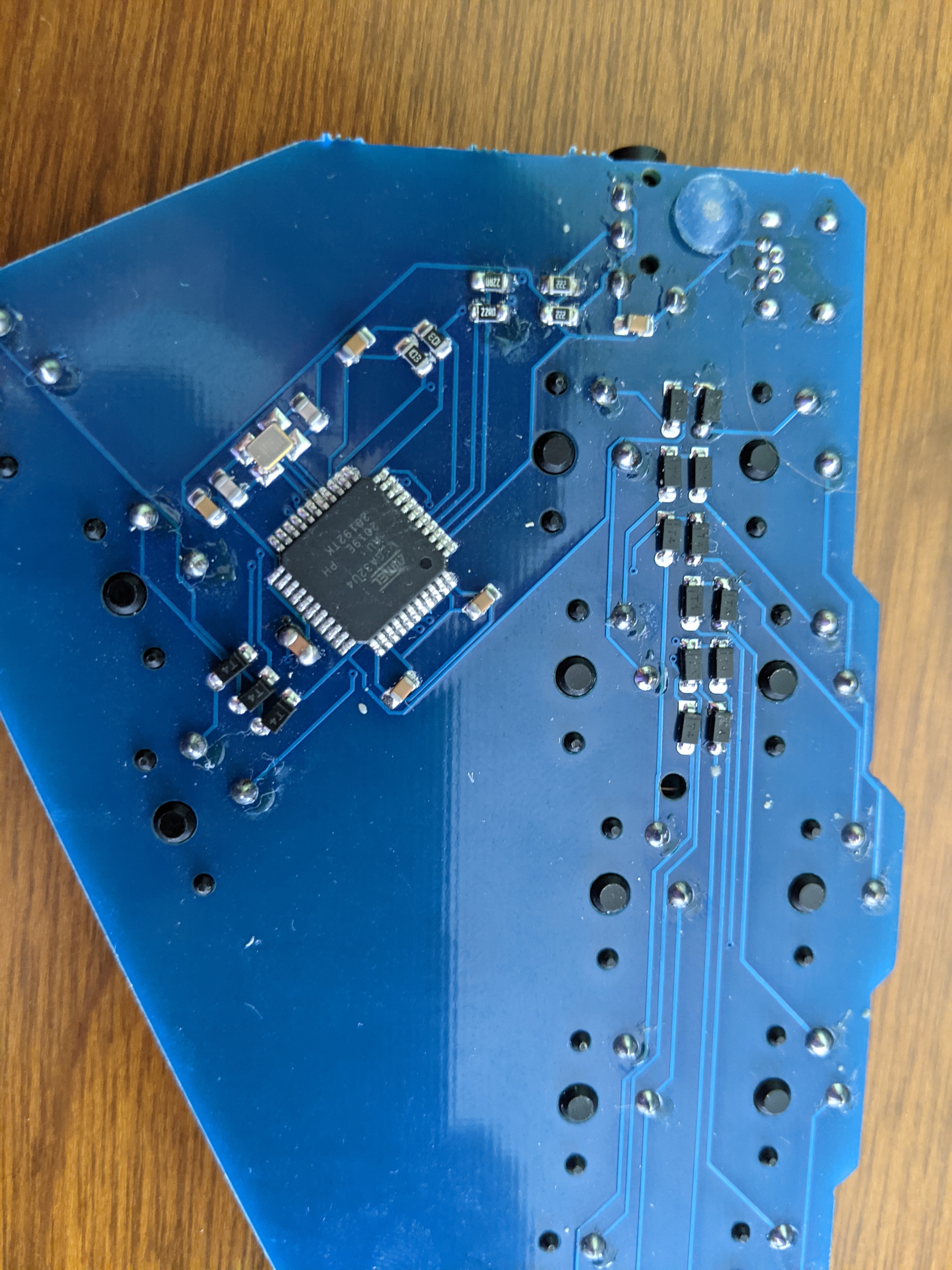
Georgi Keyboards
The Georgi is a compact split keyboard designed specifically for stenography.
Comparisons
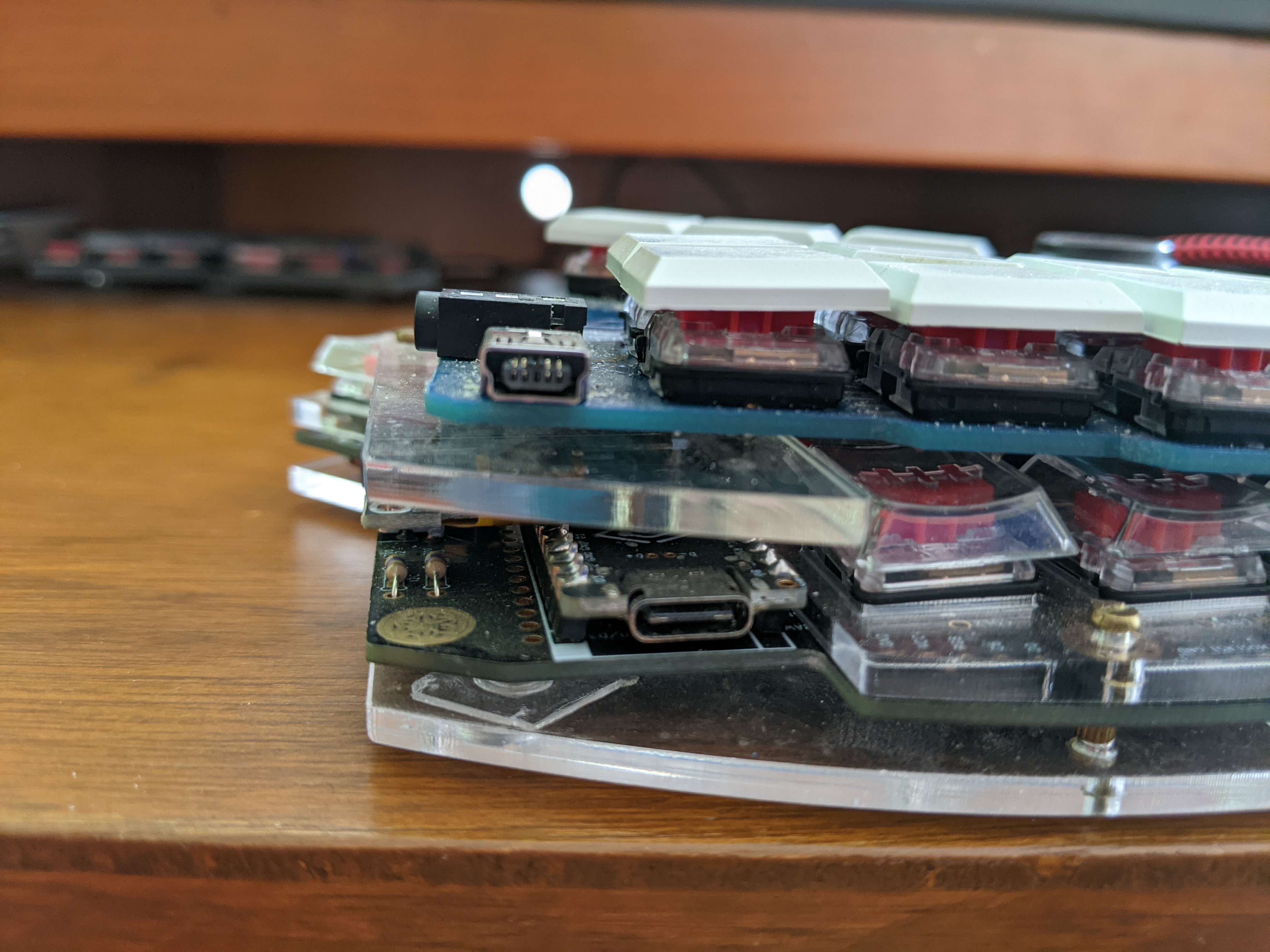
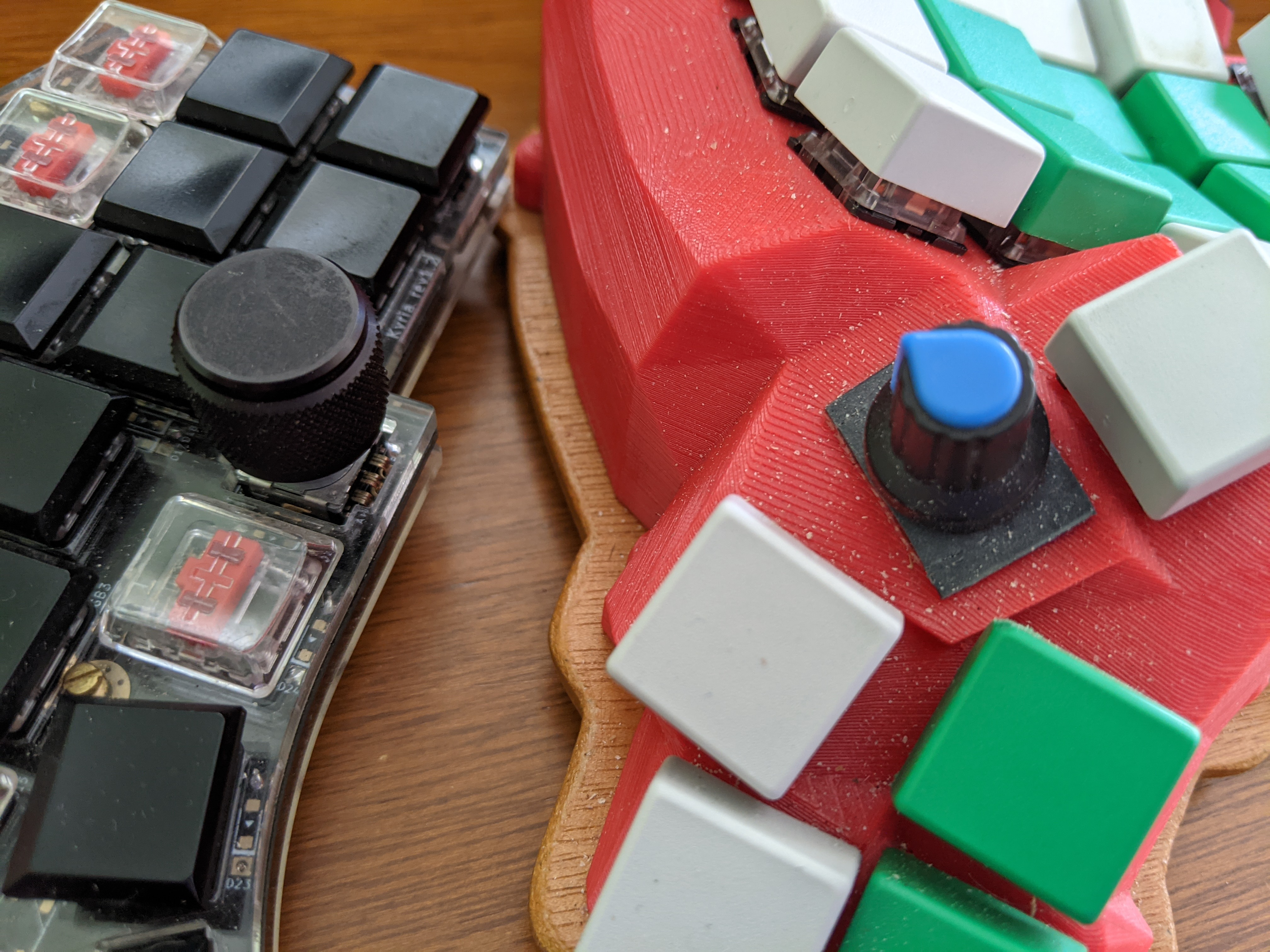
These comparison photos help visualize the size and layout differences between various keyboard models.
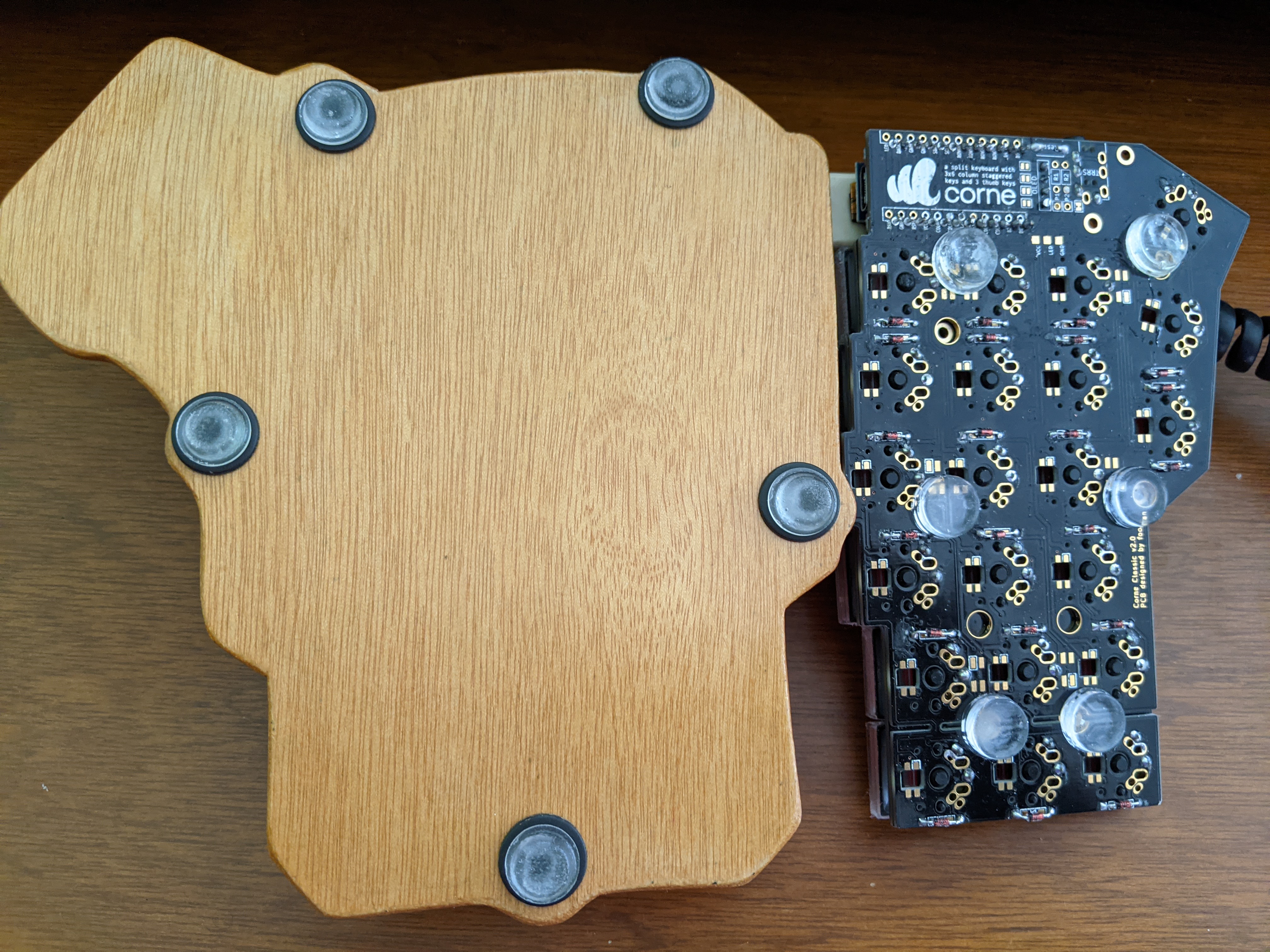
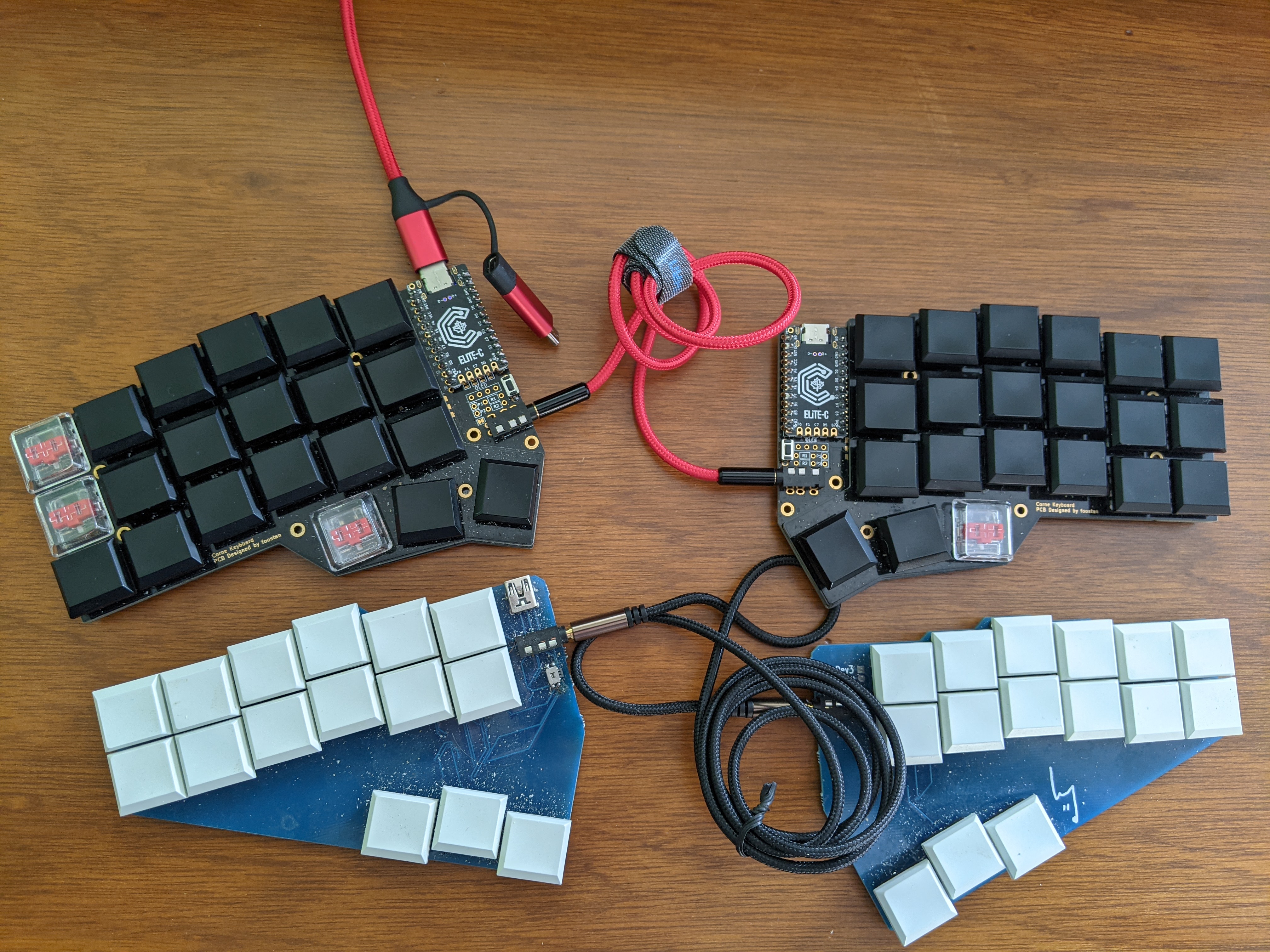
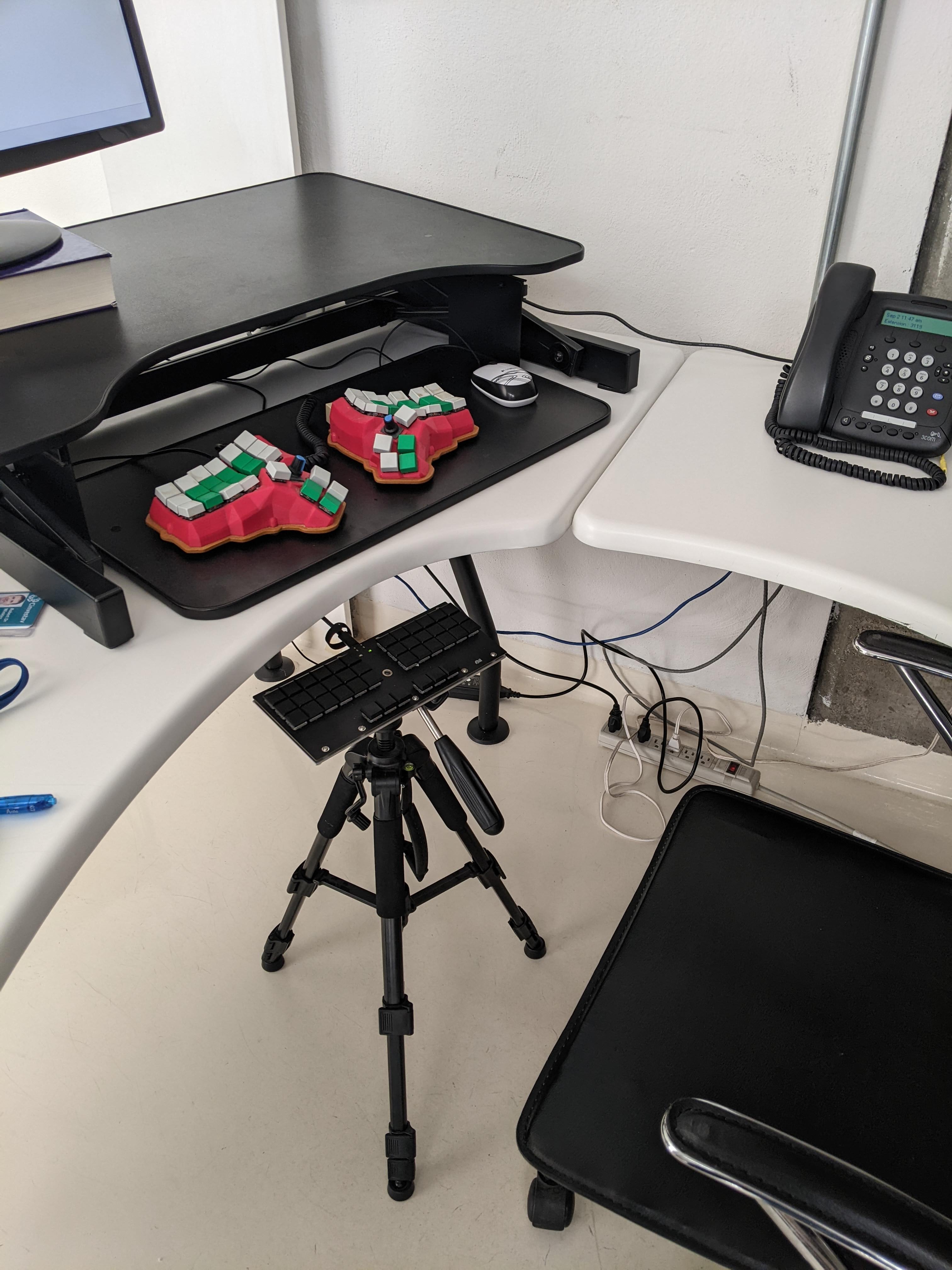
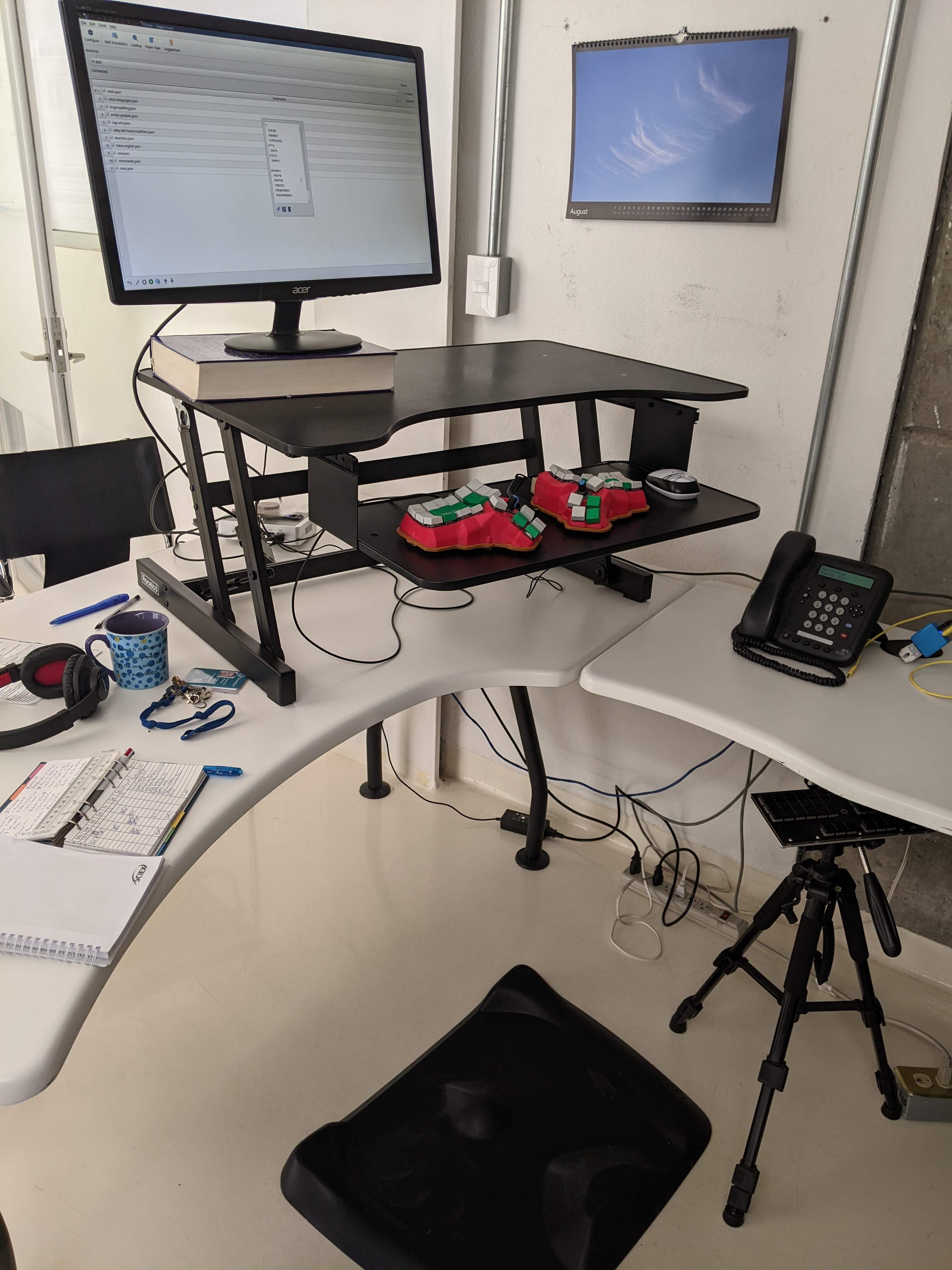
Workspace Setups
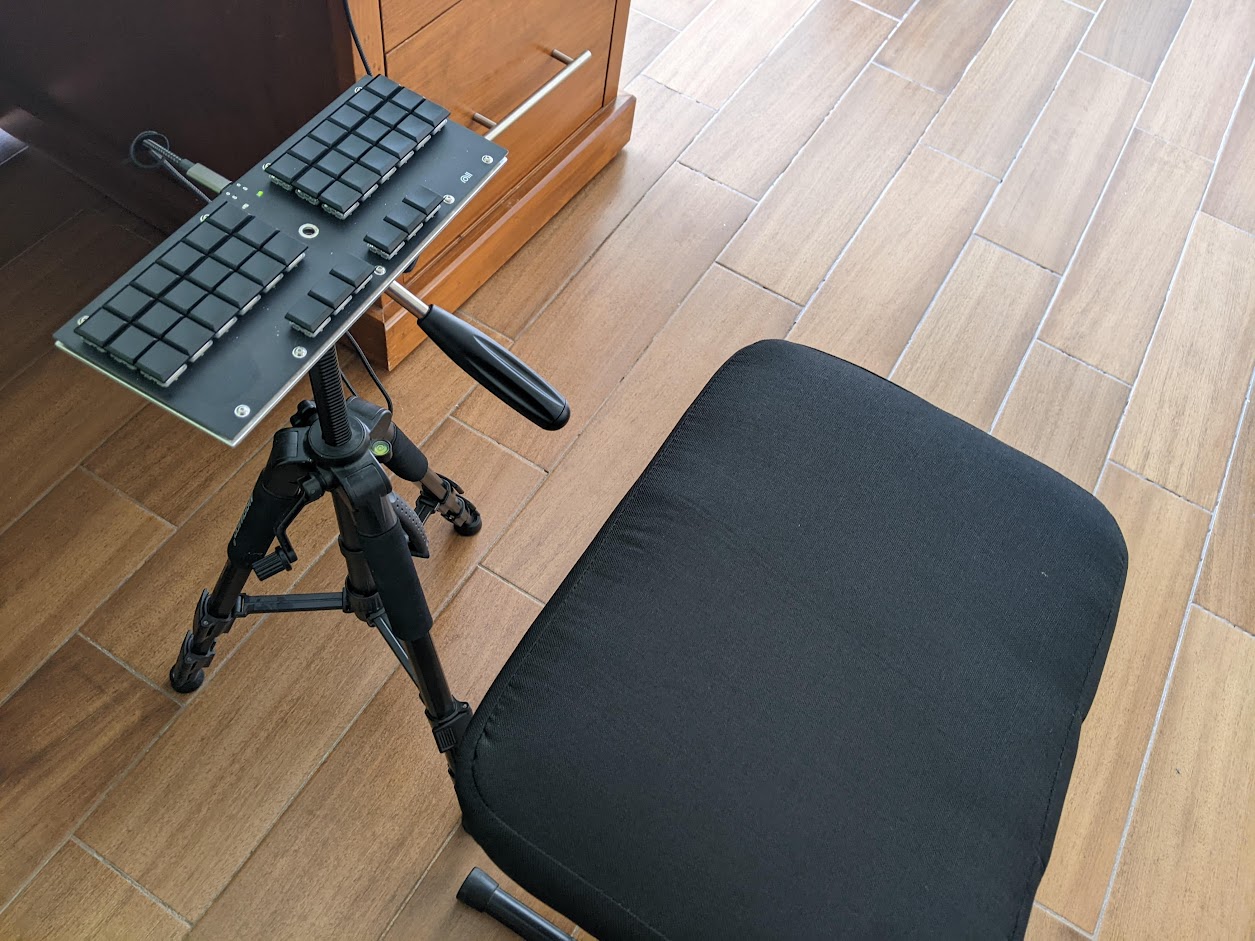
How do these keyboards fit into real workspaces?
Miscellaneous Keyboards and Accessories
The Mouse; and How to Become Rat-Free
Ergonomic Mice
I have tried several ergonomic mouse types:
- Vertical mouse
- Trackpad
- Graphical drawing pad
They all share the same problem: You have to move your hand from the keyboard to reach it.
Most of the time, I use an external trackpad as a standard mouse, e.g., for quickly positioning the cursor in a text file.
For correcting texts with Grammarly, I use a 13.3“ Pen Tablet (Wacom One).
Keyboard Mouse
On a QMK-driven keyboard, you can enable keys for mouse movements and clicks in the file rules.mk:
MOUSEKEY_ENABLE = yes
In the keymap.c, the mouse keys are defined by KC_MS_UP (move cursor up), KC_MS_DOWN (move cursor down), KC_MS_BTN1 (press button 1), etc. As well, pointer speed, acceleration, and other parameters can be finely tuned.
Therefore, the mouse can be replaced by keyboard actions to a large extent.
Encoders
Encoders can replace typical mouse actions, such as scrolling. For example, you can define a left encoder for left/right, and a right encoder for up/down scrolling. In addition, you can define actions for pressing the encoder buttons. In combination with a keyboard-friendly browser, you can therefore navigate the web with little mouse use.
Keyboard-Friendly Programs
Command-line interface (CLI) programs with keyboard control boost productivity because grabbing the mouse does not interrupt work.
Keyboard-Driven Browsing
Several web browsers are designed for keyboard-driven control.
Hack: Install a browser plugin for keyboard-control, such as Surfingkeys (available for Firefox and Chrome-like browsers).
However, often they present compatibility issues. Mostly, this is the responsibility of the web developers. But from an end user’s perspective, one is better off with a standard browser such as Google Chrome or Firefox. Surfingkeys and similar plugins enable a vim-like control of the web browser, and the hands can remain on the keyboard.
The Editor
For writing scientific texts, we need a suitable editor. I decided on Vim - according to the ‘church of Emacs,’ this is the ‘editor of the beast’ (look for information about the editor war on the internet).
Hack: Use an editor which is usable without a mouse, such as Vim.
If you accidentally entered Emacs, you can leave it with Ctrl+x Ctrl+c.
In case you are not familiar with Vim, you should start the vimtutor (terminal). This command will open Vim and give you a 30-minute introduction on how to use this mighty editor.
Markdown and Pandoc
Why Markdown:
A short introduction to Markdown/Pandoc for academic publishing is given in [@krewinkel_formatting_2017].
- Plain text files with simple syntax. It can be directly read and edited with many programs.
- There are both particular Markdown word processors (‘what you see is what you mean’) and generic editors.
Several editors, such as Vim and Emacs, have plugins to work with Markdown.
For example, I’m using the following Plugins in Vim:
vim-pandoc/vim-pandocvim-pandoc/vim-pandoc-syntaxycm-core/YouCompleteMe
Vim has already an integrated spellchecker for many languages.
Unfortunately, grammar checking Plugins such as ‘vim-grammarous’ and ‘vim-LanguageTool’ are too demanding for the Pi 0. Instead, we can check the grammar of the file using gramma or with the online service of Grammarly.
preservim/vim-wordy
The handling of references is essential.
The final formatting can be done with Pandoc [@krewinkel_formatting_2017].
PDF Viewer
zathura
- alot
- Notmuch
- offlineimap
- msmtpq-queue
- aerc
Asynchronous and Offline Mailing
offlineimap for synchronizing remote IMAP folders with local Maildir folders.
msmtp for sending emails.
You can get queuing capabilities for sending mails by installing https://gitlab.com/lxkl/msmtpq. Instead of sending emails immediately, they are added to the queue by msmtpq-enqueue. Calling msmtpq-flush will ship out all mails.
Alot integrates well with an abook or khard address book.
Additional functions can be easily programmed in Python. The alot developers and community published many code examples and are very helpful in case of questions.
For example, HTML messages can be passed to a graphical browser for rendering them correctly.
Software List
| Software | Type | Description |
|---|---|---|
| alot | CLI-interface for Notmuch, an email database. It can work offline and requires external programs for synchronization. Handles A LOT of mail. [@totzke_alot_2022] | |
bibman | Citation | Uses the BibTeX format; manager compatible with LaTeX and markdown/Pandoc. |
cadaver | WebDAV | File exchange with Cloud client storage such as NextCloud. |
kpcli | Password | Compatible with KeePass manager databases. |
nsgtk3 | Web browser | Efficient graphical web browser with own renderer. |
ranger | File manager | Miller columns for display of directories and files. |
vim | Editor | Powerful editor; extensible by plugins; supporting most text and code styles. |
vimtutor | Tutorial | Starts the Vim tutorial! |
xlinks2 | Web browser | Efficient CLI browser for X with image view. |
uzbl | Web browser | WebKit browser with Vim key bindings and fair memory use. |
w3m | Web browser | Terminal web browser with image view and vim-style keys. |
zathura | PDF viewer | Uses vim-style keybindings. |
CLI-command line interface, GUI-graphical user interface, VIM-vim-style operation.
Productivity: It’s Not Only the Typing!
For productive writing, the conditions are crucial. First of all, you need to dedicate time for focused work [@newport_deep_2013]. Spoiler: You should quit social networks. And - not very modern - you should be unavailable for visitors.
Stephen King recommends in his excellent book about his life and writing [@king_writing_2020]:
“Write with the door closed, rewrite with the door open. Your stuff starts out being just for you, in other words, but then it goes out. Once you know what the story is and get it right - as right as you can, anyway - it belongs to anyone who wants to read it. Or criticize it.”
To meet specific targets, such as finishing the thesis, within a limited timeframe, the Pomodoro technique can help [@cirillo_pomodoro_2018].
Ergonomic Workspace
As the head of an international company, you need a corner office with a boss leather throne, a colossal mahogany writing desk, and some tiny visitor chairs for underlining your exposed position. However, for productive writing, the set-up shown in the figure below would be a better choice. There are also saddle-like chairs with rolls (you might have seen one with your physiotherapist).
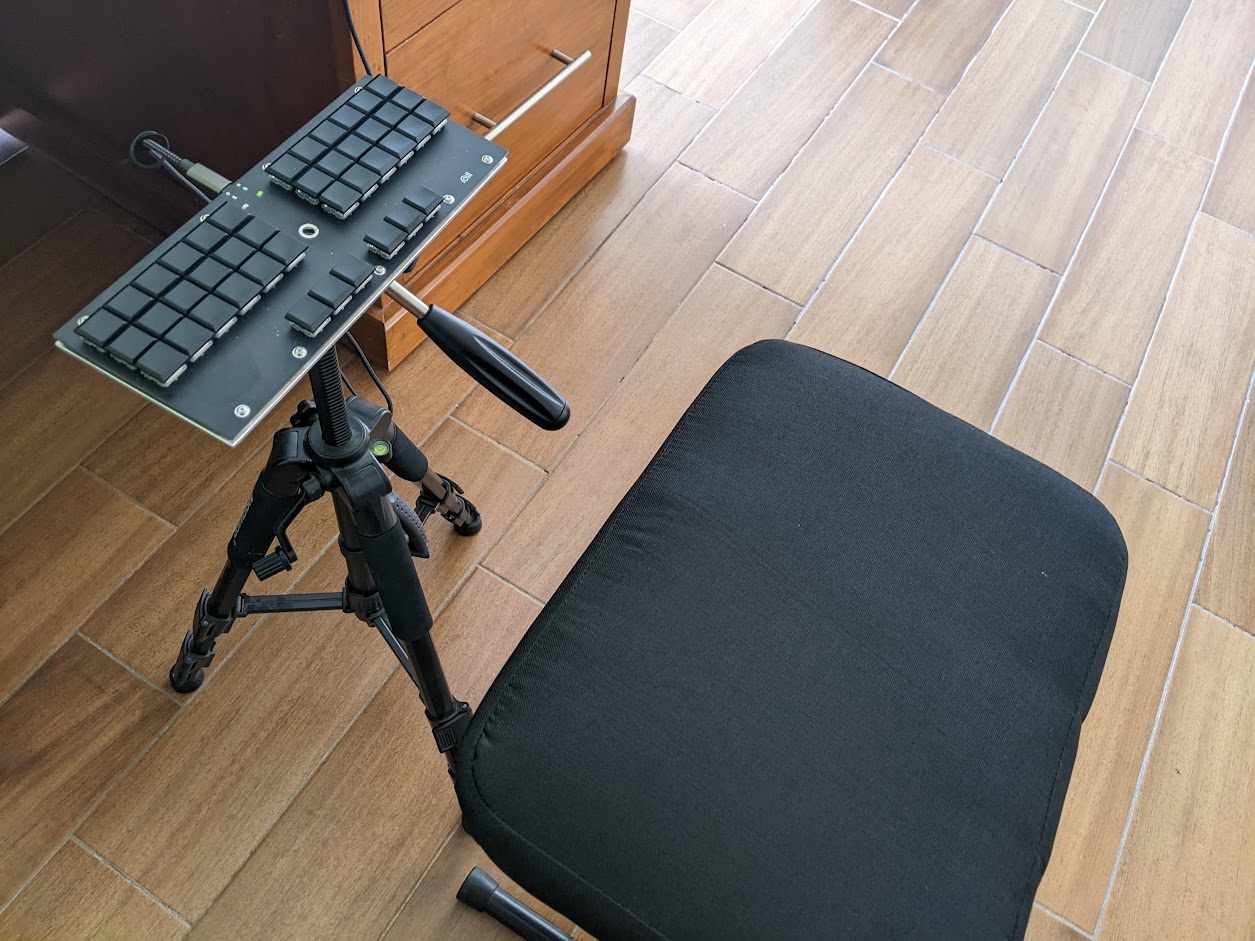
Another tool for an ergonomic set-up is a standing desk; you can even vary and work certain times standing and sit if you get tired. For prolonged standing, a soft standing mat (special ones are also available with topology) is recommendable. A huge advantage of working standing: People understand that you are busy and do not sit down for a coffee chat.
Wrapping Up: Which is the Best Keyboard?
If I had to decide for a single keyboard (a terrible imagination!) I would go for the Corne Split Keyboard, with two Elite C processors, 2 OLEDs, and spring-modded 15g Kailh low-profile switches. This keyboard is described in the hardware section. Actually, I use this keyboard on a daily basis. All keys are only one move away from the home position, and the keyboard layout is suitable for stenography. The keyboard is also very portable.
I prefer a steno number key row for Stenography with Plover: The Georgi split keyboard. Due to the SMD circuit and reduced number of keys (low-profile Kailh switches with 12 g switches), the Georgi is exceptionally portable. But writing with standard layouts is more complicated because two keys need to be pressed to get some QWERTY layer symbols.
For comfortable navigating, programming, editing, and writing in different languages, I would go for the Dactyl Manuform.
I avoid non-split keyboards now; geometries like the Planck/JJ40 lead to wrist pain in my case. If you need to change your typing quickly, e.g., because of wrist pain, I would go for a good mechanical (gaming) keyboard with linear switches, such as the Cherry red, and learn the Colemak layout.
Hack: Own more than one keyboard! You also got more than one pair of shoes, I suppose… So, for example, you can have a Dactyl Manuform and a Georgi Steno keyboard connected to your office computer, and a Corne for travel. And at your home desktop, a Kyria.
Why Are We Still Using Bad Keyboards?
Good question! The current ‘standard’ QWERTY layout of keyboards is a classic example of path dependency.
[@david_clio_1985; @vergne_qwerty_2013; @gross_path_2019]
I.e., at some time in technology history, a decision was made which now seems difficult to correct.
Using the Colemak or another optimized keyboard layout instead of QWERTY would improve the productivity and reduce health problems of computer workers. In addition, an ortholinear matrix of switches would result in more compact and ergonomic keyboard designs.
However, the market of laptops with decent keyboards is still negligible. The large companies increase CPU clock rate, RAM, disk space, etc., instead of offering a writer-friendly keyboard.
Nevertheless, we always can connect our own nerdy device. And maybe one day, some big players follow.
Discord Channels
Discord is a popular commercial platform for real-time communication, hosting many active communities dedicated to keyboard building, configuration, and usage. These servers are invaluable resources for troubleshooting, sharing builds, and connecting with fellow enthusiasts. While some members may sell keyboards or components, the primary focus of these communities is support, collaboration, and knowledge-sharing.
Below are some of the most active and helpful Discord servers for keyboard-related topics:
QMK
Focus: Building, programming, and customizing keyboards using the QMK firmware.
Discord: Join the QMK Discord Server.
Description: The official QMK community is a hub for developers and hobbyists working with open-source keyboard firmware. Whether you’re debugging a keymap, designing a custom layout, or exploring advanced features like layers and macros, this server offers expert guidance and a welcoming atmosphere. Unfortunately, programming Quantum Mechanical Keyboards is addictive.
Colemak
Focus: Discussion, support, and advocacy for the Colemak keyboard layout.
Discord: Join the Colemak Community Discord Server.
Description: Ideal for both new and experienced Colemak users, this community provides a space to ask questions, share tips, and discuss ergonomics, efficiency, and layout customization. It’s a great place to connect with others who prioritize comfort and productivity in typing. Remember: Switching from QWERTY to Colemak is the fastest and cheapest way to improve typing speed and health.
Open Steno/ Plover
Focus: Support and discussion for Plover, the open-source steno engine for machine shorthand.
Discord: Join the Plover Discord Server.
Description: A friendly and active group for steno enthusiasts, Plover users, and anyone curious about stenography. Whether you’re a beginner learning steno or a professional stenographer, this community welcomes all skill levels and offers resources for improving speed, accuracy, and workflow integration. You will also find there a vibrant group of javelin experts. You don’t need to be a nerd to participate.
Splitkb.com
Focus: Split keyboards, ergonomics, and builds—with a primary emphasis on splitkb.com products, though all split keyboard discussions are welcome.
Discord: Join the splitkb.com Discord Server.
Description: This server is perfect for exploring split keyboard designs, sharing build experiences, and getting advice on ergonomic setups. While it’s affiliated with splitkb.com, the community is open to discussing all types of split and ergonomic keyboards, making it a valuable resource for both beginners and seasoned builders. I started my keyboard journey with the Kyria several years back. On Thomas Baart’s web page you can find well-thought products and also advice on building split keyboard.
References
The bibliography is defined in the bibliography.bib file and will be processed by mdbook-pandoc.
Creative Commons Attribution-ShareAlike 4.0 International
Creative Commons Corporation (“Creative Commons”) is not a law firm and does not provide legal services or legal advice. Distribution of Creative Commons public licenses does not create a lawyer-client or other relationship. Creative Commons makes its licenses and related information available on an “as-is” basis. Creative Commons gives no warranties regarding its licenses, any material licensed under their terms and conditions, or any related information. Creative Commons disclaims all liability for damages resulting from their use to the fullest extent possible.
Using Creative Commons Public Licenses
Creative Commons public licenses provide a standard set of terms and conditions that creators and other rights holders may use to share original works of authorship and other material subject to copyright and certain other rights specified in the public license below. The following considerations are for informational purposes only, are not exhaustive, and do not form part of our licenses.
-
Considerations for licensors: Our public licenses are intended for use by those authorized to give the public permission to use material in ways otherwise restricted by copyright and certain other rights. Our licenses are irrevocable. Licensors should read and understand the terms and conditions of the license they choose before applying it. Licensors should also secure all rights necessary before applying our licenses so that the public can reuse the material as expected. Licensors should clearly mark any material not subject to the license. This includes other CC-licensed material, or material used under an exception or limitation to copyright. More considerations for licensors.
-
Considerations for the public: By using one of our public licenses, a licensor grants the public permission to use the licensed material under specified terms and conditions. If the licensor’s permission is not necessary for any reason–for example, because of any applicable exception or limitation to copyright–then that use is not regulated by the license. Our licenses grant only permissions under copyright and certain other rights that a licensor has authority to grant. Use of the licensed material may still be restricted for other reasons, including because others have copyright or other rights in the material. A licensor may make special requests, such as asking that all changes be marked or described. Although not required by our licenses, you are encouraged to respect those requests where reasonable. More considerations for the public.
Creative Commons Attribution-ShareAlike 4.0 International Public License
By exercising the Licensed Rights (defined below), You accept and agree to be bound by the terms and conditions of this Creative Commons Attribution-ShareAlike 4.0 International Public License (“Public License”). To the extent this Public License may be interpreted as a contract, You are granted the Licensed Rights in consideration of Your acceptance of these terms and conditions, and the Licensor grants You such rights in consideration of benefits the Licensor receives from making the Licensed Material available under these terms and conditions.
Section 1 – Definitions.
a. Adapted Material means material subject to Copyright and Similar Rights that is derived from or based upon the Licensed Material and in which the Licensed Material is translated, altered, arranged, transformed, or otherwise modified in a manner requiring permission under the Copyright and Similar Rights held by the Licensor. For purposes of this Public License, where the Licensed Material is a musical work, performance, or sound recording, Adapted Material is always produced where the Licensed Material is synched in timed relation with a moving image.
b. Adapter’s License means the license You apply to Your Copyright and Similar Rights in Your contributions to Adapted Material in accordance with the terms and conditions of this Public License.
c. BY-SA Compatible License means a license listed at creativecommons.org/compatiblelicenses, approved by Creative Commons as essentially the equivalent of this Public License.
d. Copyright and Similar Rights means copyright and/or similar rights closely related to copyright including, without limitation, performance, broadcast, sound recording, and Sui Generis Database Rights, without regard to how the rights are labeled or categorized. For purposes of this Public License, the rights specified in Section 2(b)(1)-(2) are not Copyright and Similar Rights.
e. Effective Technological Measures means those measures that, in the absence of proper authority, may not be circumvented under laws fulfilling obligations under Article 11 of the WIPO Copyright Treaty adopted on December 20, 1996, and/or similar international agreements.
f. Exceptions and Limitations means fair use, fair dealing, and/or any other exception or limitation to Copyright and Similar Rights that applies to Your use of the Licensed Material.
g. License Elements means the license attributes listed in the name of a Creative Commons Public License. The License Elements of this Public License are Attribution and ShareAlike.
h. Licensed Material means the artistic or literary work, database, or other material to which the Licensor applied this Public License.
i. Licensed Rights means the rights granted to You subject to the terms and conditions of this Public License, which are limited to all Copyright and Similar Rights that apply to Your use of the Licensed Material and that the Licensor has authority to license.
j. Licensor means the individual(s) or entity(ies) granting rights under this Public License.
k. Share means to provide material to the public by any means or process that requires permission under the Licensed Rights, such as reproduction, public display, public performance, distribution, dissemination, communication, or importation, and to make material available to the public including in ways that members of the public may access the material from a place and at a time individually chosen by them.
l. Sui Generis Database Rights means rights other than copyright resulting from Directive 96/9/EC of the European Parliament and of the Council of 11 March 1996 on the legal protection of databases, as amended and/or succeeded, as well as other essentially equivalent rights anywhere in the world.
m. You means the individual or entity exercising the Licensed Rights under this Public License. Your has a corresponding meaning.
Section 2 – Scope.
a. License grant.
-
Subject to the terms and conditions of this Public License, the Licensor hereby grants You a worldwide, royalty-free, non-sublicensable, non-exclusive, irrevocable license to exercise the Licensed Rights in the Licensed Material to:
A. reproduce and Share the Licensed Material, in whole or in part; and
B. produce, reproduce, and Share Adapted Material.
-
Exceptions and Limitations. For the avoidance of doubt, where Exceptions and Limitations apply to Your use, this Public License does not apply, and You do not need to comply with its terms and conditions.
-
Term. The term of this Public License is specified in Section 6(a).
-
Media and formats; technical modifications allowed. The Licensor authorizes You to exercise the Licensed Rights in all media and formats whether now known or hereafter created, and to make technical modifications necessary to do so. The Licensor waives and/or agrees not to assert any right or authority to forbid You from making technical modifications necessary to exercise the Licensed Rights, including technical modifications necessary to circumvent Effective Technological Measures. For purposes of this Public License, simply making modifications authorized by this Section 2(a)(4) never produces Adapted Material.
-
Downstream recipients.
A. Offer from the Licensor – Licensed Material. Every recipient of the Licensed Material automatically receives an offer from the Licensor to exercise the Licensed Rights under the terms and conditions of this Public License.
B. Additional offer from the Licensor – Adapted Material. Every recipient of Adapted Material from You automatically receives an offer from the Licensor to exercise the Licensed Rights in the Adapted Material under the conditions of the Adapter’s License You apply.
C. No downstream restrictions. You may not offer or impose any additional or different terms or conditions on, or apply any Effective Technological Measures to, the Licensed Material if doing so restricts exercise of the Licensed Rights by any recipient of the Licensed Material.
-
No endorsement. Nothing in this Public License constitutes or may be construed as permission to assert or imply that You are, or that Your use of the Licensed Material is, connected with, or sponsored, endorsed, or granted official status by, the Licensor or others designated to receive attribution as provided in Section 3(a)(1)(A)(i).
b. Other rights.
-
Moral rights, such as the right of integrity, are not licensed under this Public License, nor are publicity, privacy, and/or other similar personality rights; however, to the extent possible, the Licensor waives and/or agrees not to assert any such rights held by the Licensor to the limited extent necessary to allow You to exercise the Licensed Rights, but not otherwise.
-
Patent and trademark rights are not licensed under this Public License.
-
To the extent possible, the Licensor waives any right to collect royalties from You for the exercise of the Licensed Rights, whether directly or through a collecting society under any voluntary or waivable statutory or compulsory licensing scheme. In all other cases the Licensor expressly reserves any right to collect such royalties.
Section 3 – License Conditions.
Your exercise of the Licensed Rights is expressly made subject to the following conditions.
a. Attribution.
-
If You Share the Licensed Material (including in modified form), You must:
A. retain the following if it is supplied by the Licensor with the Licensed Material:
i. identification of the creator(s) of the Licensed Material and any others designated to receive attribution, in any reasonable manner requested by the Licensor (including by pseudonym if designated);
ii. a copyright notice;
iii. a notice that refers to this Public License;
iv. a notice that refers to the disclaimer of warranties;
v. a URI or hyperlink to the Licensed Material to the extent reasonably practicable;
B. indicate if You modified the Licensed Material and retain an indication of any previous modifications; and
C. indicate the Licensed Material is licensed under this Public License, and include the text of, or the URI or hyperlink to, this Public License.
-
You may satisfy the conditions in Section 3(a)(1) in any reasonable manner based on the medium, means, and context in which You Share the Licensed Material. For example, it may be reasonable to satisfy the conditions by providing a URI or hyperlink to a resource that includes the required information.
-
If requested by the Licensor, You must remove any of the information required by Section 3(a)(1)(A) to the extent reasonably practicable.
b. ShareAlike.
In addition to the conditions in Section 3(a), if You Share Adapted Material You produce, the following conditions also apply.
-
The Adapter’s License You apply must be a Creative Commons license with the same License Elements, this version or later, or a BY-SA Compatible License.
-
You must include the text of, or the URI or hyperlink to, the Adapter’s License You apply. You may satisfy this condition in any reasonable manner based on the medium, means, and context in which You Share Adapted Material.
-
You may not offer or impose any additional or different terms or conditions on, or apply any Effective Technological Measures to, Adapted Material that restrict exercise of the rights granted under the Adapter’s License You apply.
Section 4 – Sui Generis Database Rights.
Where the Licensed Rights include Sui Generis Database Rights that apply to Your use of the Licensed Material:
a. for the avoidance of doubt, Section 2(a)(1) grants You the right to extract, reuse, reproduce, and Share all or a substantial portion of the contents of the database;
b. if You include all or a substantial portion of the database contents in a database in which You have Sui Generis Database Rights, then the database in which You have Sui Generis Database Rights (but not its individual contents) is Adapted Material, including for purposes of Section 3(b); and
c. You must comply with the conditions in Section 3(a) if You Share all or a substantial portion of the contents of the database.
For the avoidance of doubt, this Section 4 supplements and does not replace Your obligations under this Public License where the Licensed Rights include other Copyright and Similar Rights.
Section 5 – Disclaimer of Warranties and Limitation of Liability.
a. Unless otherwise separately undertaken by the Licensor, to the extent possible, the Licensor offers the Licensed Material as-is and as-available, and makes no representations or warranties of any kind concerning the Licensed Material, whether express, implied, statutory, or other. This includes, without limitation, warranties of title, merchantability, fitness for a particular purpose, non-infringement, absence of latent or other defects, accuracy, or the presence or absence of errors, whether or not known or discoverable. Where disclaimers of warranties are not allowed in full or in part, this disclaimer may not apply to You.
b. To the extent possible, in no event will the Licensor be liable to You on any legal theory (including, without limitation, negligence) or otherwise for any direct, special, indirect, incidental, consequential, punitive, exemplary, or other losses, costs, expenses, or damages arising out of this Public License or use of the Licensed Material, even if the Licensor has been advised of the possibility of such losses, costs, expenses, or damages. Where a limitation of liability is not allowed in full or in part, this limitation may not apply to You.
c. The disclaimer of warranties and limitation of liability provided above shall be interpreted in a manner that, to the extent possible, most closely approximates an absolute disclaimer and waiver of all liability.
Section 6 – Term and Termination.
a. This Public License applies for the term of the Copyright and Similar Rights licensed here. However, if You fail to comply with this Public License, then Your rights under this Public License terminate automatically.
b. Where Your right to use the Licensed Material has terminated under Section 6(a), it reinstates:
-
automatically as of the date the violation is cured, provided it is cured within 30 days of Your discovery of the violation; or
-
upon express reinstatement by the Licensor.
For the avoidance of doubt, this Section 6(b) does not affect any right the Licensor may have to seek remedies for Your violations of this Public License.
c. For the avoidance of doubt, the Licensor may also offer the Licensed Material under separate terms or conditions or stop distributing the Licensed Material at any time; however, doing so will not terminate this Public License.
d. Sections 1, 5, 6, 7, and 8 survive termination of this Public License.
Section 7 – Other Terms and Conditions.
a. The Licensor shall not be bound by any additional or different terms or conditions communicated by You unless expressly agreed.
b. Any arrangements, understandings, or agreements regarding the Licensed Material not stated herein are separate from and independent of the terms and conditions of this Public License.
Section 8 – Interpretation.
a. For the avoidance of doubt, this Public License does not, and shall not be interpreted to, reduce, limit, restrict, or impose conditions on any use of the Licensed Material that could lawfully be made without permission under this Public License.
b. To the extent possible, if any provision of this Public License is deemed unenforceable, it shall be automatically reformed to the minimum extent necessary to make it enforceable. If the provision cannot be reformed, it shall be severed from this Public License without affecting the enforceability of the remaining terms and conditions.
c. No term or condition of this Public License will be waived and no failure to comply consented to unless expressly agreed to by the Licensor.
d. Nothing in this Public License constitutes or may be interpreted as a limitation upon, or waiver of, any privileges and immunities that apply to the Licensor or You, including from the legal processes of any jurisdiction or authority.
Creative Commons is not a party to its public licenses. Notwithstanding, Creative Commons may elect to apply one of its public licenses to material it publishes and in those instances will be considered the “Licensor.” The text of the Creative Commons public licenses is dedicated to the public domain under the CC0 Public Domain Dedication. Except for the limited purpose of indicating that material is shared under a Creative Commons public license or as otherwise permitted by the Creative Commons policies published at creativecommons.org/policies, Creative Commons does not authorize the use of the trademark “Creative Commons” or any other trademark or logo of Creative Commons without its prior written consent including, without limitation, in connection with any unauthorized modifications to any of its public licenses or any other arrangements, understandings, or agreements concerning use of licensed material. For the avoidance of doubt, this paragraph does not form part of the public licenses.
Creative Commons may be contacted at creativecommons.org.